Flatten, reverse and cancel all
These are the quick-exit actions: Close closes the position, Reverse closes it and opens the opposite one, Cancel all cancels open orders and Cancel + close does both in the right order.
Where to find it
| Where | Actions |
|---|---|
| Order pad | Close, Reverse, Cancel orders, Cancel + close |
| DOM | Close, Reverse, Cancel orders, Cancel + close (footer) |
| Flash | IN, FA, CA, CF |
| Tables | Close {symbol}, Reverse {symbol}, Close all, Cancel all, Cancel + close |
| Chart | Close position, Reverse position on the position line |
| Keyboard | F close, R reverse, C cancel all |
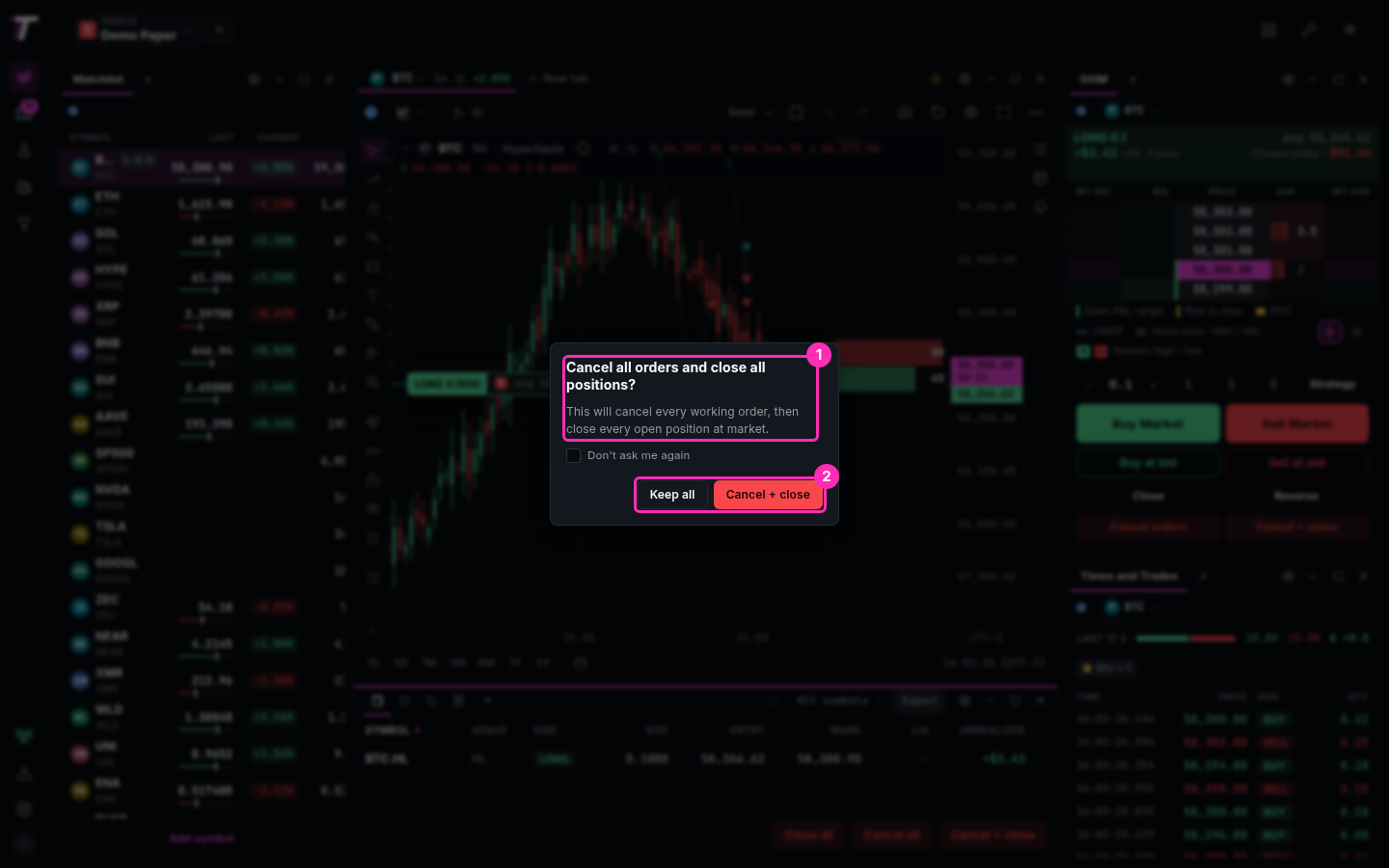
1 Confirmation · 2 Keep all and Cancel + close
What each action does
- Close — closes the symbol's position at market and cancels the TP/SL tied to it. If the position was already closed, you see The position was already closed.
- Reverse — closes the current position and opens one on the opposite side, the same size, at market.
- Cancel all — cancels all active orders.
- Cancel + close — cancels all orders first and only then closes. The order matters: a resting stop could reopen the position in the middle of the exit. If one step fails, the other is still attempted and you see the error.
- Close all — closes every open position, across all symbols.
Important: Cancel + close asks Cancel all orders and close all positions? and then cancels every working order and closes every open position at market. This action cannot be undone. The exit price is the market price at that moment, which can be worse than the one displayed.
Confirmations
Under Settings > Trading, turn Confirm before close and Confirm before reverse on or off. With them on, a window appears such as Close {symbol}?, explaining that the position will be closed at market, or Reverse {symbol}?, warning that it closes the current one AND opens another in the opposite direction. Check Don't ask me again to stop seeing the notice. In the DOM, the first click arms the button (Confirm?).
Account blocked by risk management
When the account is blocked, new opening orders are refused, but actions that close or reduce a position keep working. See Account locked and suspension.
Frequently asked questions
The action shows as rejected, but the position closed? When the outcome is uncertain, the platform warns: This action may have reached the venue. Check positions and orders before retrying. Check before repeating.
Does Close cancel my orders? Close cancels the position's TP/SL; to clear the other orders, use Cancel + close.