Trading from the chart
With chart trading you see your position, orders and brackets as lines on the chart and act on them by dragging, double-clicking or using the line's buttons. You can also create orders by clicking straight on the price.
Where to find it
On the active symbol's chart. The lines appear on their own when you have a position or open orders on it. The Show position on chart option turns the position line on and off. See TradingView charts.
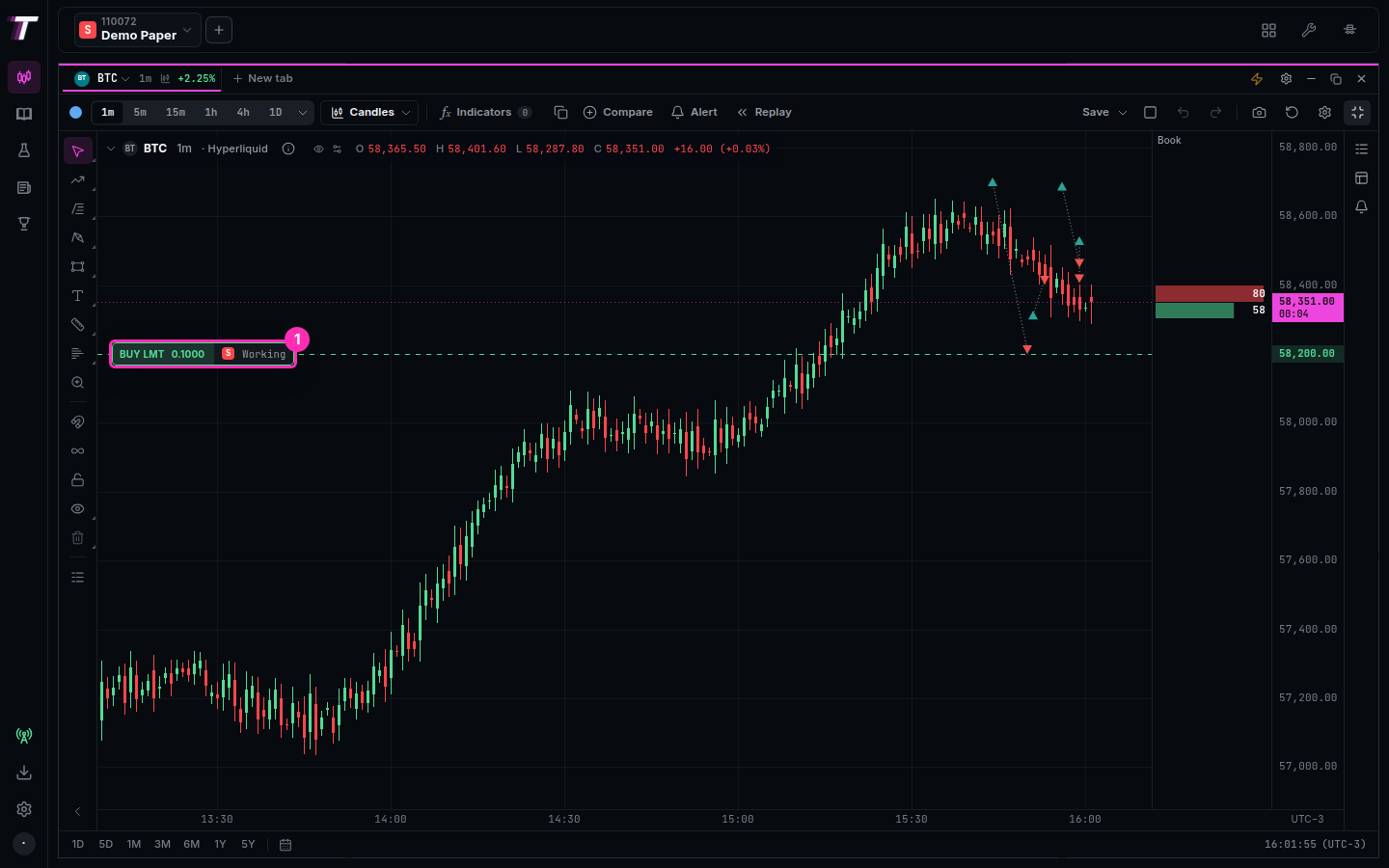
1 Buy Limit order drawn on the chart
Line types
Each order is a tag on its line with the side and type (BUY LMT, BUY STP, SELL LMT, SELL STP), the size and the status (Working). The position shows the side, size and result. Orders at the same price are aggregated into one line (Aggregated orders at this price).
Working with the lines
- Drag the line to reprice: drag to re-price · double-click to edit. On aggregated lines, a double-click expands or merges the orders.
- Double-click opens Edit order, where you type a New limit price or New trigger price and change the Quantity.
- Line buttons — on the position: Close position, Reverse position, Increase qty and Decrease qty. On orders: Cancel.
- Result — double press the position's P&L to switch between $, % and ticks.
- TP and SL — drag from the position line to the price you want (Drag to place a take-profit or a stop-loss). On an order that has not executed yet, the TP/SL is staged and fires when the order executes. See Brackets.
Creating an order on the chart
Hold the buy key (Shift by default) or the sell key (Alt) and click the price you want. A preview line appears; release or click to send. Depending on the Submit mode, a Confirm window shows Symbol, Side, Size, Trigger and Effect (for example, "will reduce your position"). On mobile, use a long press.
Other keys, active when you are not typing: F closes the position, R reverses and C cancels all. Holding Ctrl switches between the hand and the crosshair. See Keyboard shortcuts.
Important: a limit order placed beyond the current price executes right away. The chart warns: ... order through last — fills immediately on release, and then Marketable or crossed the market — filled now.
Frequently asked questions
Why did the line go back after I dragged it? The venue or the platform rejected the change. See the Re-price failed notice and Order errors and rejections.
Does resetting the chart layout delete my orders? No. Reset chart layout only restores drawings, scales and style; orders and positions do not change.