Positions, orders and trades tables
The trading tables gather what is happening in your account: open Positions, pending and historical Orders, closed Trades and the account's Activity. From here you can also close, cancel and reprice.
Where to find it
Add the Positions and Orders tools from the picker (Add tool), or use the table panel with the Positions, Orders, Trades, Activity and Statement tabs (see Statement). Collapse tables / Expand tables controls the height, and Undock tables splits them into floating panels (limit of 4).
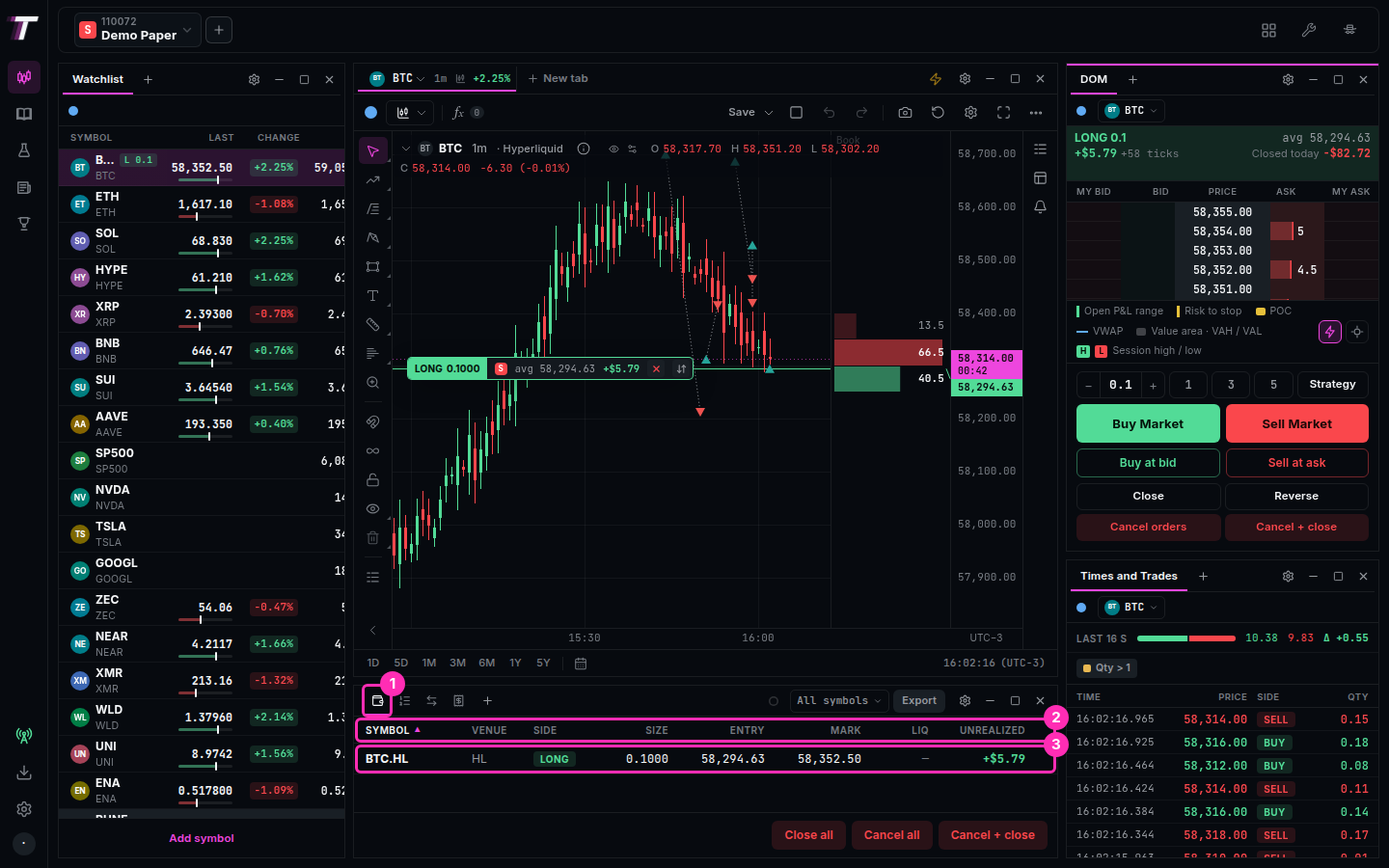
1 Positions tab · 2 Columns · 3 Open position
Positions
Each row is an open position. On each one you can Close {symbol}, Reverse {symbol} or Load {symbol} on the chart. At the top are Close all, Cancel all and Cancel + close; see Flatten, reverse and cancel all. To hide Close all and Cancel all from Positions and Orders, turn off Show Close all and Cancel all in Positions and Orders under Settings > Trading. With no positions, you see No open positions; with a symbol filter that matches nothing, No positions in the current filter. The bar of each table has an All symbols picker to narrow the list to one symbol.
Orders
- Filter — the Status options are Open, Closed and All. The open and confirming pills on each row show its state; confirming marks an order whose outcome the venue has not yet confirmed.
- Period — in Filter, picks the history window (Today, 7D, 30D, All), or a range with From and Until. The list shows at most the most recent orders in the window; select a longer period to see more.
- Edit — click the price or quantity (Click to re-price, Click to resize), type and use Enter to confirm or Esc to cancel. Modify order opens the full edit.
- Chase — on limit orders, the Chase button resends the order at the best price every 15 seconds until it fills. Click again to stop. Chase only applies to limit orders.
Trades
Lists closed trades, with Entry, Exit, Duration, Qty, Fees, Net and Return. Net is gross minus fees (Gross − Fees); hover the fees to see the Maker, Taker and Builder detail. With no fees recorded, the row shows Gross only — no fees recorded; a fee the venue did not report shows as —. The list is paginated (Page x of y · N rows).
Activity
Records the account's events, such as Order placed, Order canceled, Order modified, Order rejected, Fill, Position opened, Position closed, Position flipped, Liquidation, Fee, Funding paid, Funding received, Deposit and Withdrawal.
Export
Export produces Download CSV, Download Excel or Download PDF with the visible rows, in the order shown. If the result is limited, the file is marked Partial export — not a complete record.
Important: the tables show the active account. If a window is pinned to another account, actions stay off until you activate it.