Appearance: theme, density and language
Adjust the light or dark theme, the menu arrangement, interface density, number format, language and display currency. Your choices are saved on this device.
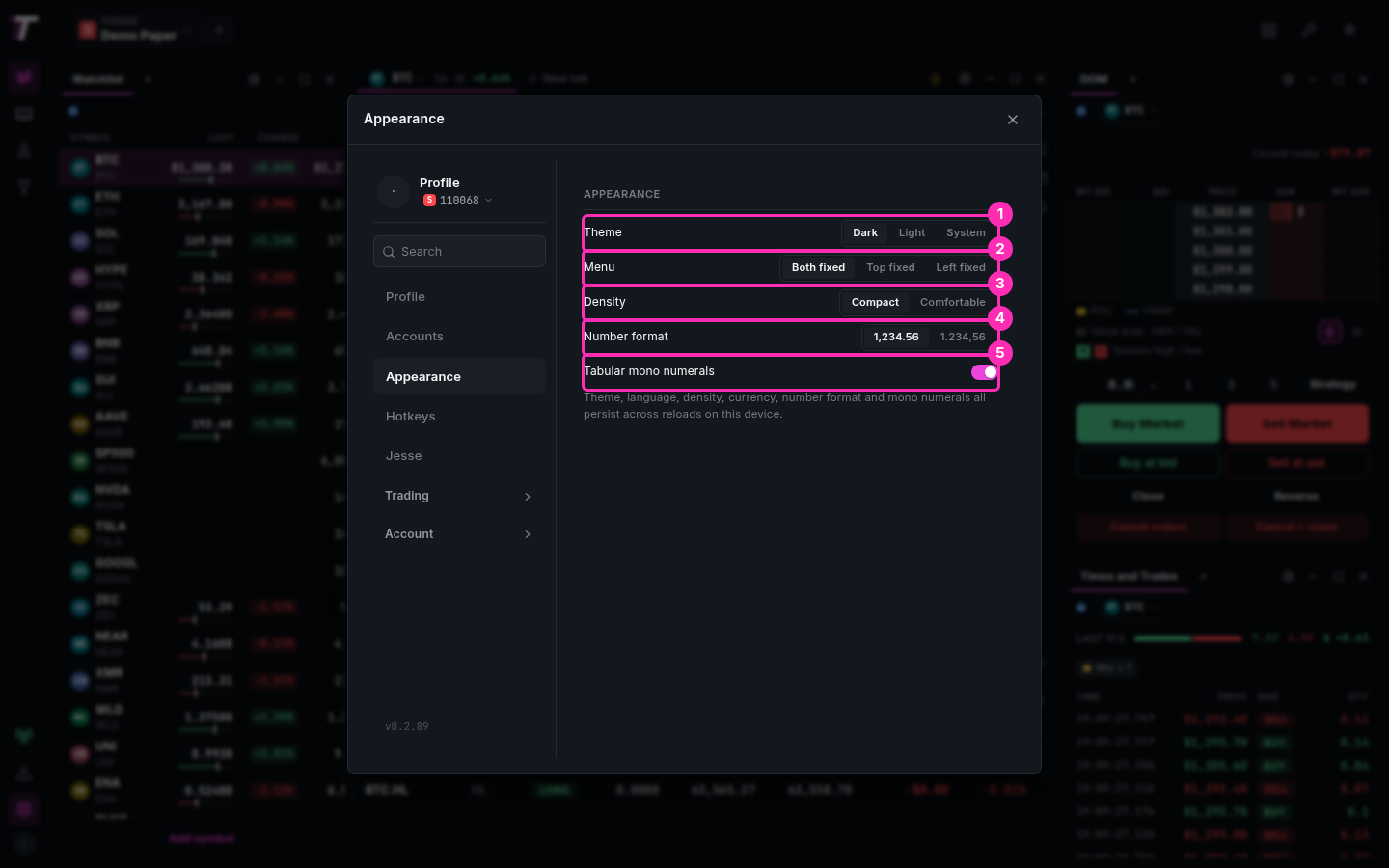
1 Theme · 2 Menu · 3 Density · 4 Number format · 5 Monospaced numerals
Where to find it
- Settings > Appearance — theme, menu, density, number format and tabular mono numerals.
- Settings > Profile — Language and Display currency.
- Phone — the footer of the profile menu has language, currency and theme.
Appearance options
| Option | Values |
|---|---|
| Theme | Dark, Light or System (follows your device) |
| Menu | Both fixed (sidebar and header), Top fixed or Left fixed |
| Density | Compact (default) or Comfortable |
| Number format | 1,234.56 or 1.234,56 |
| Tabular mono numerals | On by default; lines up number digits |
Language
In Settings > Profile > Language, choose English, Português or Español. The interface changes right away and the choice is remembered on this device.
Display currency
In Settings > Profile > Display currency:
- Auto — shows each account in its own currency, with no conversion (default).
- USD or BRL — converts displayed values to the chosen currency.
Display currency only changes how values appear. It does not change the account's currency.
Operator colors and logo
Each operator can apply its own identity: accent colors, logo and name. The default color is a magenta called "Plasma". You do not change this in Settings.
Important: theme, language, density, currency, number format and mono numerals are saved on the device. In another browser or device, set them again.
Frequently asked questions
Where is the language? It is not in Appearance. It is in Profile.
Why are the comma and period swapped in my numbers? Change the Number format.