Profile and preferences
Settings gather your public profile, your accounts, the platform's appearance, hotkeys and trading behavior. This article is the map of those sections.
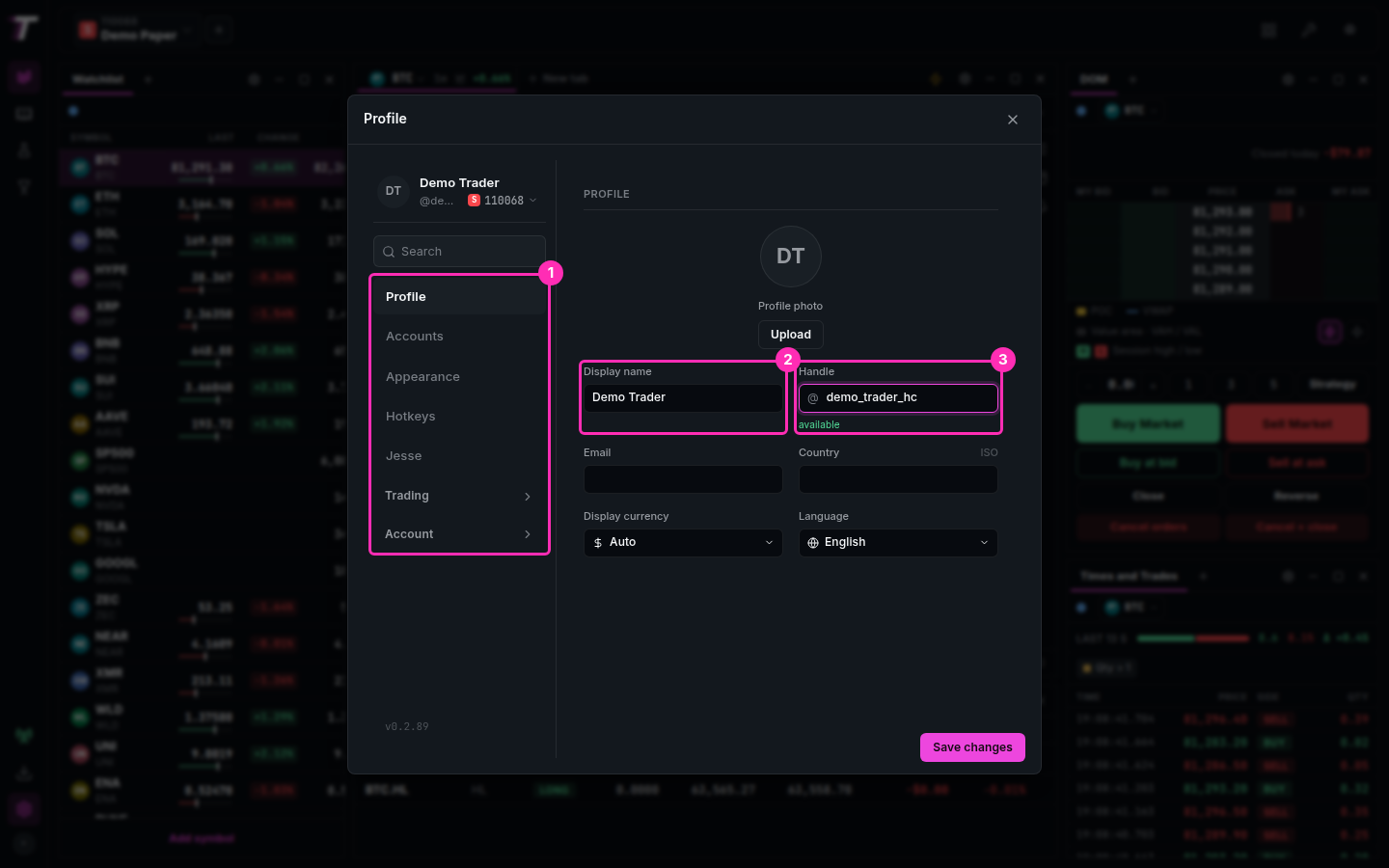
1 Settings sections · 2 Display name · 3 Handle
Where to find it
Click Settings at the bottom of the sidebar (in Top fixed mode, use the gear icon in the header). Use the Search field to find a setting by name.
Sections
| Section | What it has |
|---|---|
| Profile | Photo, name, handle, email, country, display currency and language |
| Accounts | Your accounts, with make active, rename and remove |
| Appearance | Theme, menu, density, number format |
| Hotkeys | Order keys, workspaces and windows |
| Jesse | Assistant placement: Left, Right, Chip or Inline |
| Trading | Trading, Risk limits, Trading agents and, if turned on, Account copy groups and Social trading |
| Account | Account and Wallets & security |
The Profile and Accounts sections only appear while signed in.
Profile
- Profile photo — Upload, Change or Remove.
- Display name — the name shown across the platform.
- Handle — a unique username, 1 to 32 characters, with letters, numbers, hyphen and underscore only. The platform checks whether it is available as you type.
- Email and Country (2-letter ISO code).
- Display currency — Auto (uses each account's currency, no conversion), USD or BRL.
- Language — English, Português or Español.
Click Save changes, in the window footer, to store the profile.
Trading
Under Trading > Trading, adjust how the platform behaves when you trade:
- Confirm before close, Confirm before reverse and Confirm before placing orders.
- Show Close all and Cancel all in Positions and Orders — shows or hides those buttons in the tables.
- Ask to review a trade when a paper position closes — shown when the Journal is on; the toast with Review after a paper position closes.
- Submit mode — Confirm or Instant.
- Pro view (OMS / venue ids) and Bracket children follow parent drag.
Tip: appearance, language, density and number-format preferences are saved on the device, not on the account. In another browser you set them again.
Frequently asked questions
My handle was rejected. It may already be taken (That handle is already taken.) or contain invalid characters.
Where do I change the language? In Profile > Language, not in Appearance. See Appearance: theme, density and language.