Wallets: link and unlink
A Tron Charts account can have linked wallets. Here is how to connect an existing wallet, create an embedded wallet and unlink a wallet you no longer use.
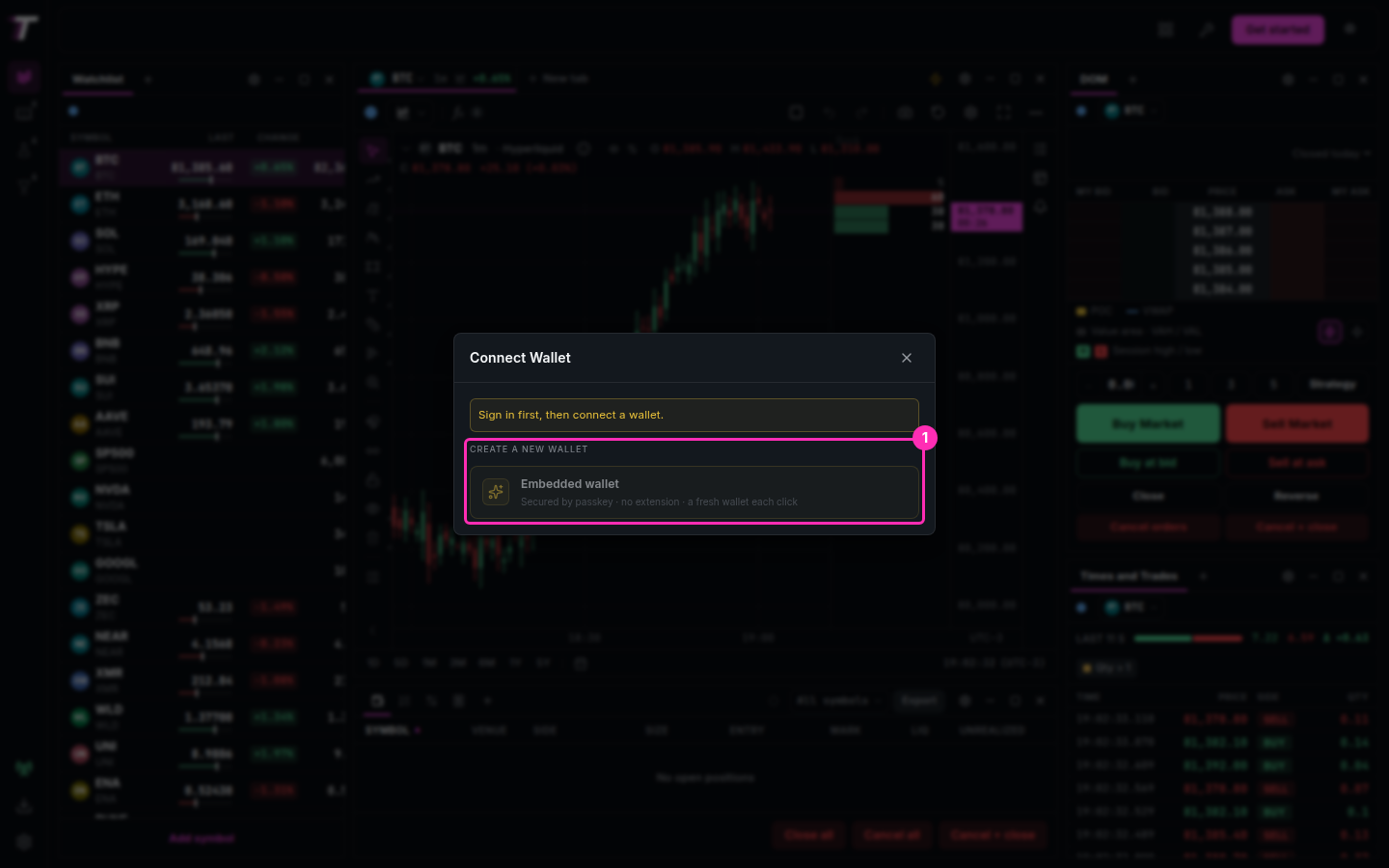
1 Create a new embedded wallet
Where to find it
- Settings > Account > Wallets & security — the Linked wallets section lists each wallet as Primary or Linked, with the Ready state.
- Sign In window — Continue with a wallet opens the Connect Wallet window.
- Account switcher — on the Live tab, the footer has Connect wallet (or Manage wallets, if you already have one). While Live is marked Soon, this item does not show.
Link a wallet
- Sign in first. The Connect Wallet window asks for a login before anything else.
- Under Attach an existing wallet, pick a wallet the app already recognizes, or use Connect a wallet for a new one.
- Approve in the wallet app and sign the verification.
Create an embedded wallet
Under Create a new wallet, the Embedded wallet option creates a wallet Secured by passkey · no extension. Each user can have one embedded wallet, and it may be created automatically on first sign-in when you have no wallet at all.
Unlink
- Open the Connect Wallet window and go to the Linked to this account section.
- Click the Unlink from this account icon next to the address.
- If the open positions or working orders notice appears, resolve it and try again.
In Settings > Account > Wallets & security, the Unlink button shows on wallets that are unavailable in this browser.
Important: you cannot unlink a wallet that has open positions or working orders. Close the positions and cancel the orders first; the notice lists the symbols involved.
Wallet marked "Needs re-attach in this browser"
This happens when the account has the wallet but this browser does not recognize it yet. Connect the wallet that holds that address. As soon as it is recognized, the state flips to Ready by itself, with no new signature.
A wallet that already belongs to another identity
If you link a wallet that is already on another identity, the platform shows a confirmation screen with a preview of what will be moved and asks for a new signature. More complex cases need support; see Contact support.
Frequently asked questions
Can I have more than one wallet? Yes, linked to the same account. The first one is Primary.
Does unlinking delete my wallet? No. It only removes the link to this account.