Trading accounts and the account switcher
You can have several accounts in Tron Charts, each with its own balance, positions, orders and trades. The active account is the one every tool uses, and the account switcher in the header is where you move between them.
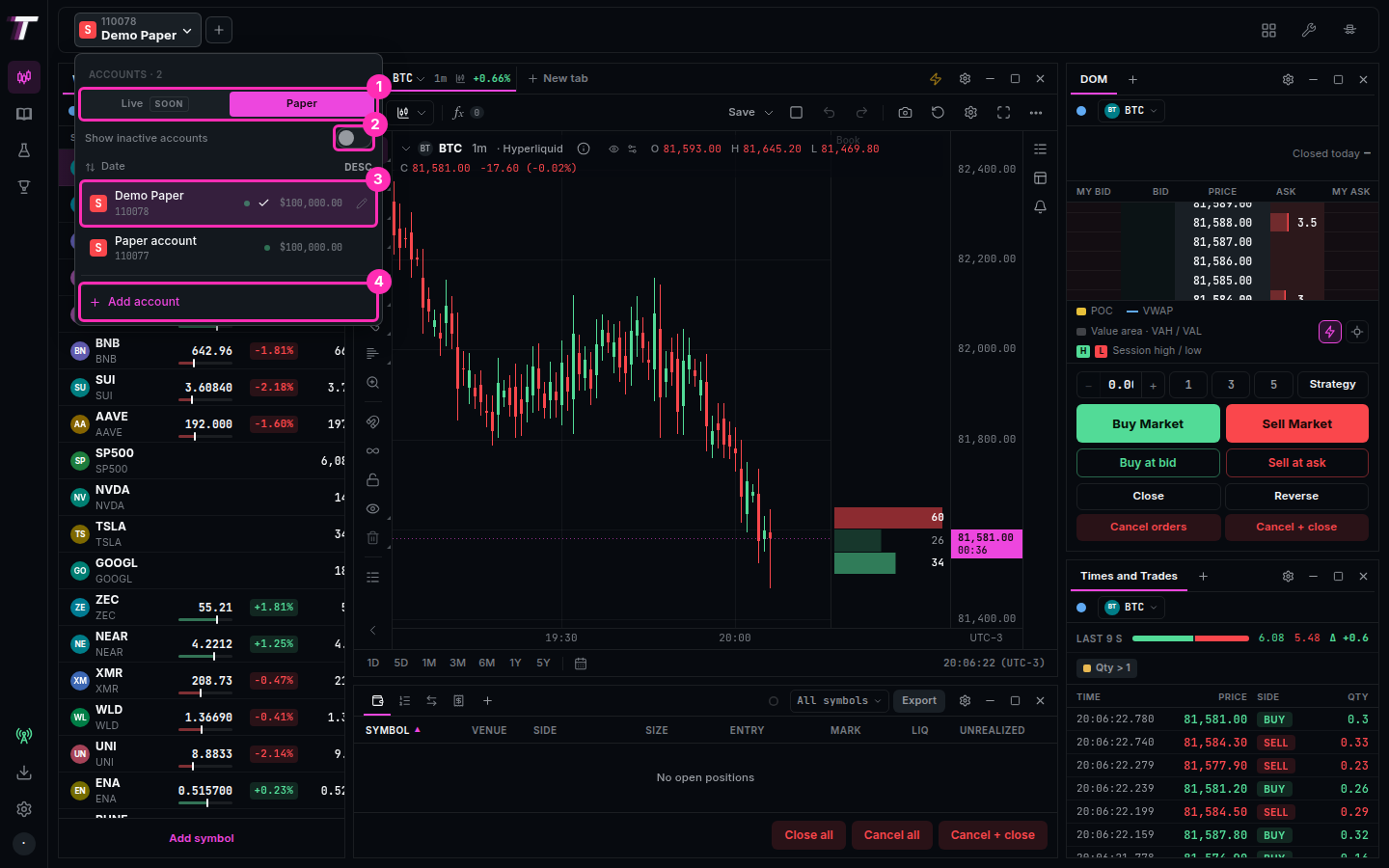
1 Live and Paper tabs · 2 Show inactive accounts · 3 Account with balance · 4 Add account
Where to find it
- Header — the account switcher, next to the pinned stats.
- Settings > Accounts — the same list, with Make active, Rename, Remove and Edit risk limits.
Switch accounts
- Open the account switcher.
- Choose the Paper tab. The Live tab is locked and marked Soon.
- Click the account you want (Switch to this account).
Accounts are grouped under Live, Prop / Funded and Paper; blocked accounts sit under Blocked. Use the Filter by number or name field (shown from 8 accounts), the Date sort and Show inactive accounts to find an account; the list is paginated.
Account status
- Active — trading normally.
- Paused by your own risk limit — a limit you configured was reached.
- Blocked by risk management — the platform blocked the account; see Risk overview.
Create an account
- Click Add account. The New account window opens.
- Optional: fill in Name. If left blank, the account gets a default name.
- Under Type, choose Paper trading (fake balance, risk-free). Live trading is locked and marked Soon.
- Currency: USD only (US dollar). Older accounts in BRL keep working. The currency locks once the account has trading history.
- Click Create account.
Every new account gets a 6-digit number (for example, 110074), shown above the account name in the switcher; the first one is called "Paper — Main".
Manage
- Rename — the pencil icon on the account row. Prop / Funded accounts cannot be renamed.
- Pin to header — in the Account stats menu, pin metrics such as Balance, Equity, Open PNL, Available margin, Used margin, Closed PNL, Daily loss limit and Profit target.
- Remove — in Settings > Accounts. The action cannot be undone.
Important: risk limits are configured per account. See Loss and gain limits.
Frequently asked questions
Why can't I create a real account? Real trading is locked today. See Paper vs live accounts.
Can I change an account's currency? Not once it has history.