Trading agents and credentials
A trading agent is a helper wallet you approve, per venue, so the platform can sign your orders without opening a wallet popup on every trade. The agent's key is encrypted on the server, can only place orders and cannot withdraw funds.
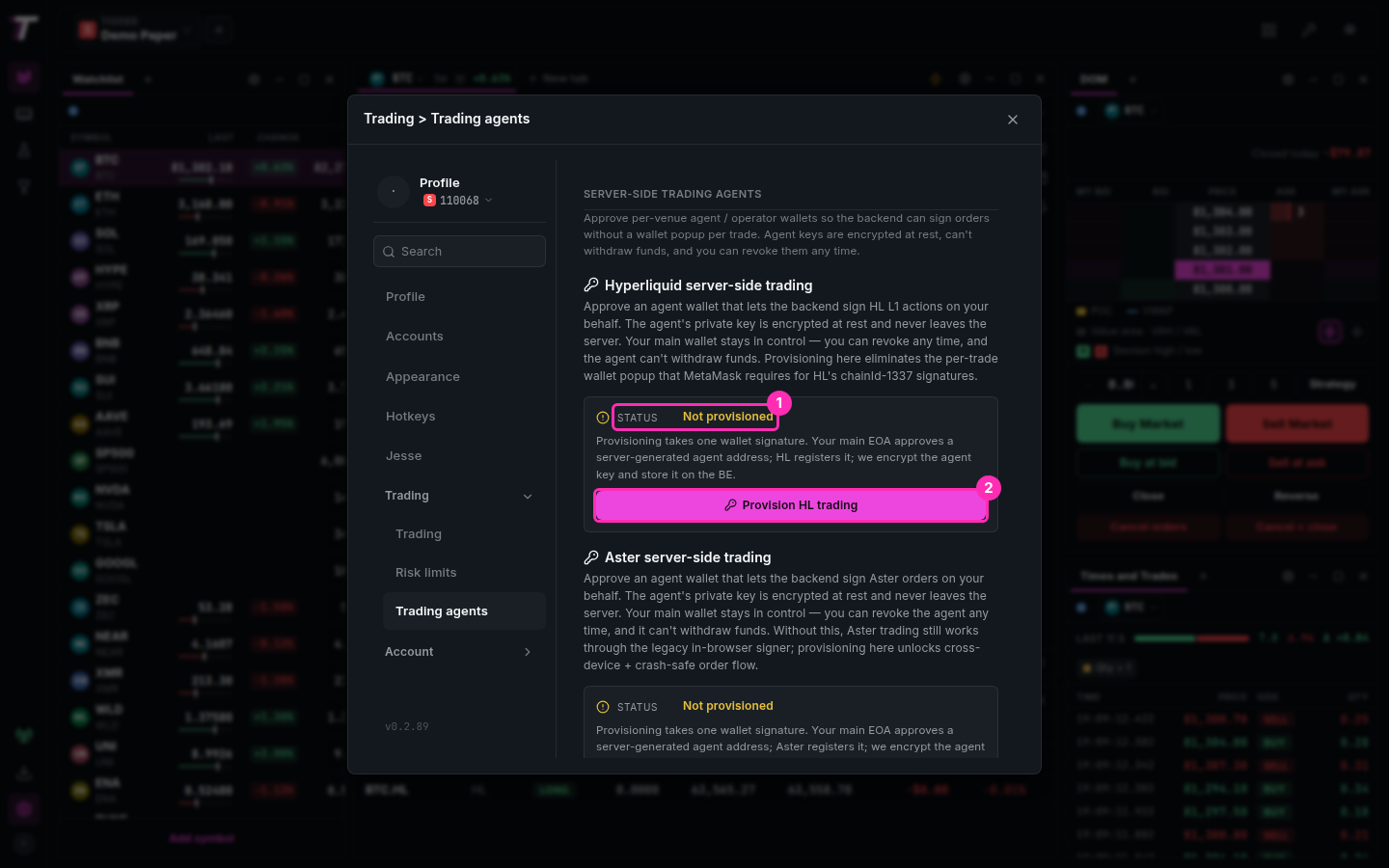
1 Agent status · 2 Provision the agent
Where to find it
Settings > Trading > Trading agents. The first order on a venue that needs an agent also opens a window such as Approve Hyperliquid agent to trade, with a one-time wallet signature.
Availability: real-account trading is locked today, so agent approval only matters once real accounts are released. Paper accounts do not need an agent.
Panels by venue
| Venue | Credential | Main buttons |
|---|---|---|
| Hyperliquid | Agent approved by your main wallet | Provision HL trading, Rotate agent, Revoke |
| Aster | Agent approved by your main wallet | Provision Aster trading, Rotate agent, Revoke |
Today Settings shows only the Hyperliquid and Aster panels. Each panel shows the Status (Provisioned or Not provisioned), the Agent, since when, and when it was rotated.
Approve an agent
- Open the venue's panel and click Provision.
- Sign the approval in your wallet.
- Wait for the status to change to Provisioned.
Rotate and revoke
- Rotate agent swaps the agent's key for a new one.
- Revoke removes the credential. After that, you need to provision again to trade on that venue.
Important: the agent can only send orders. Even so, revoke any agent you do not recognize or no longer use.
Frequently asked questions
Can the agent withdraw my funds? No. It only sends orders, and you can revoke it any time.
Why do I need to approve an agent? Without it, every order would ask for a wallet signature.
Where are the Lab API keys? API clients, used by MCP servers, live in Lab > MCP, not here.