Contacting support
If the common-issues articles did not solve it, support can look into your case. The more complete the first message, the faster it gets resolved.
Important: never send your recovery phrase (seed), private keys, verification codes or passwords. Support does not need them.
Symptom
- You followed the steps in an article and the problem continues.
- The app itself asks you to talk to support (for example, on an account block that needs review).
- You have a movement, an order or an account in a state you cannot interpret.
Likely causes
Cases only support can resolve:
- A blocked account that does not lift by itself. See Account blocked by risk.
- An email or wallet tied to another identity, which needs recovery or a merge. See I cannot log in.
- A deposit confirmed on the network that was not credited. See Deposit not credited.
- A withdrawal with an unknown result. See Withdrawal blocked.
- An order the app says may have reached the venue and that does not resolve in the history.
What to do
- Gather the information below.
- Send it through your platform's support channel.
- Keep a record of the conversation and answer support's questions in the same thread.
What to send
- The affected account number, shown above the account name in the account selector (for example, 110074).
- The email or wallet address used to sign in (public address only, never the key).
- The day and time of the problem, with time zone.
- The exact message the app showed, or a screenshot.
- For funds: venue, network, amount, destination and the transaction hash.
- For orders: the symbol, side, type, size and venue.
- The browser and operating system, and whether you use the installed app (PWA).
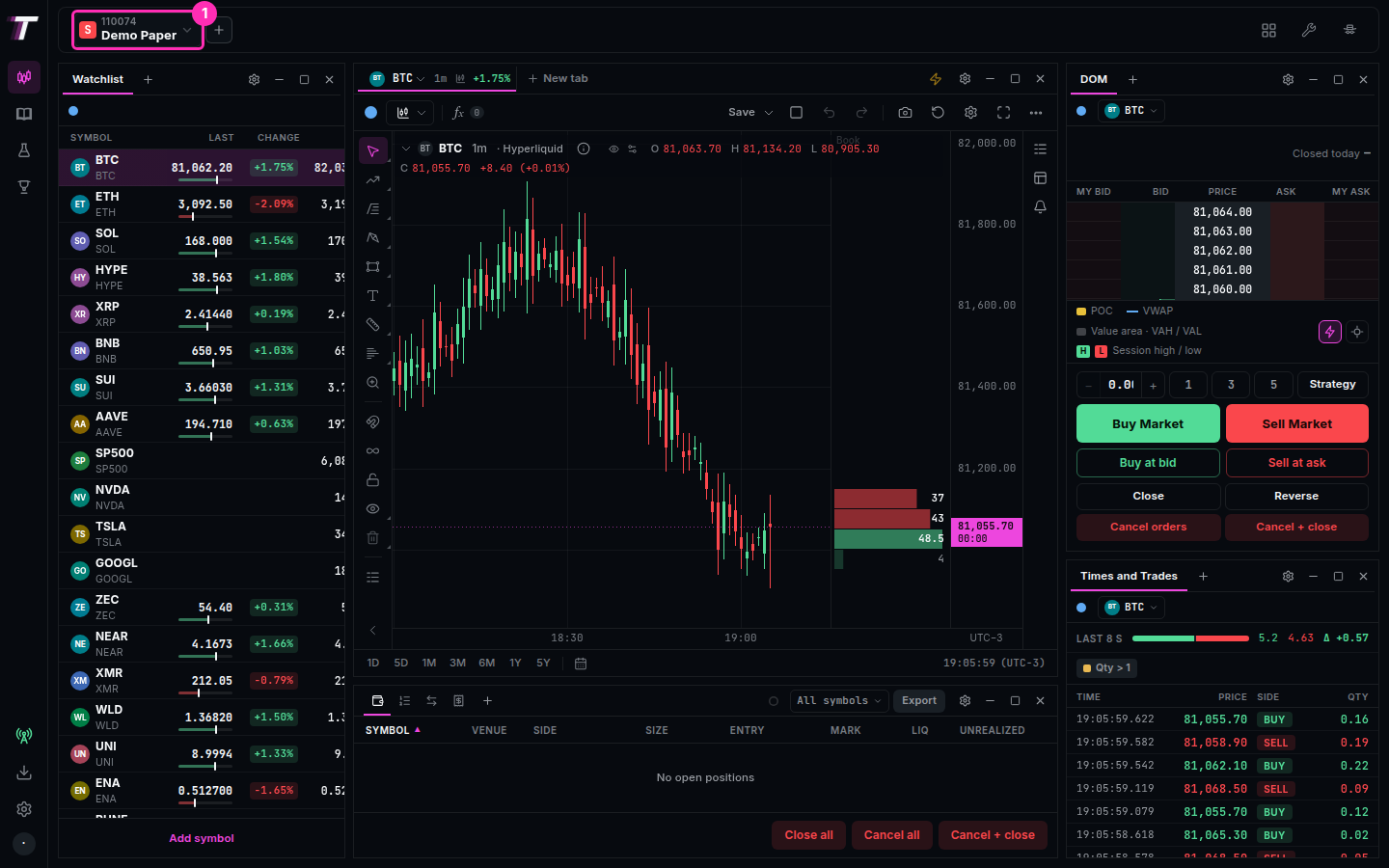
1 Account number in the account selector
When to contact support
Contact support when your balance or open positions are at risk, for example an order with an unknown result or a withdrawal that failed after signing. In those cases, do not repeat the operation until support replies.