My account was blocked by risk
An account can be prevented from opening positions for three different reasons: one of your own limits, a limit you enforced on the server, or the platform's risk-management block. The message on screen shows which one is yours.
Symptom
- The Account blocked or Account blocked until the next session card appears.
- The account shows Blocked or Trading blocked, with Resumes in and a time.
- The account shows the state Paused by your own risk limit.
- New orders fail with Blocked by risk limit or with This account is blocked by risk management.
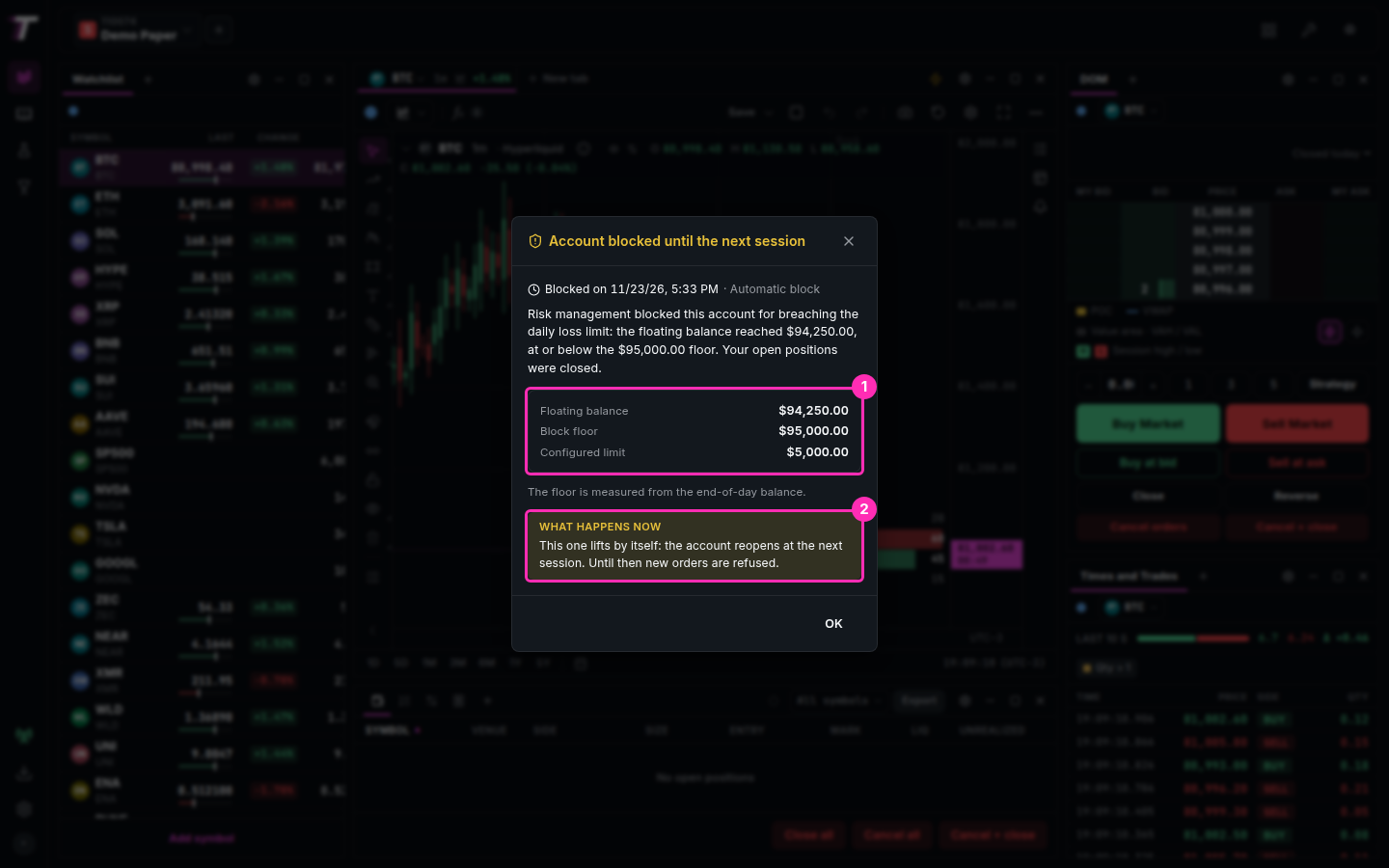
1 Block numbers · 2 What happens now
Likely causes
- Your personal limit — you chose Liquidate & block for daily loss or profit target, and the day's result reached it. State: Paused by your own risk limit, with Resumes in.
- Your enforced limit — an order breached one of your caps in My enforced caps. Only the order is rejected; the account is not blocked.
- Platform risk management — the account broke the maximum drawdown or the daily loss limit, and the platform closed the positions. State: Blocked by risk management.
What to do
- Identify the state in the accounts panel: Active, Paused by your own risk limit or Blocked by risk management.
- If it is your personal limit, wait for the block to end or adjust the limit in Settings > Trading > Risk limits. See Loss and profit limits.
- If it is risk management, open the Account blocked card and read What happens now:
- Block until the next session — the account reopens on its own at the next session.
- Other blocks — talk to support to review the case.
- While blocked, you can still close open positions. The card's OK button only dismisses the notice.
Important: the automatic block closes open positions the moment it triggers. Check the history before opening new ones.
When to contact support
- The card indicates the block needs review.
- The block came from Blocked by an operator or Blocked by the provider and you do not know why.
- The account stays blocked after the next session on a block that should lift by itself.
Send the account number, the time of the block and a screenshot of the card. See Contacting support.