The chart does not load or is delayed
This article helps when the chart is empty, shows a delay or disconnection notice, or the symbol will not open. Some notices are normal: certain feeds are delayed by design.
Symptom
- The chart shows Delayed ~N min or Delayed N min.
- You see Offline, You're offline or Market data disconnected — displayed prices may be stale.
- The app shows Connecting market data or Market data recovering.
- The chart shows No data, No new data, Symbol unavailable or Timeframe not available.
- Prices stop moving, or the feed status reads delayed or disconnected.
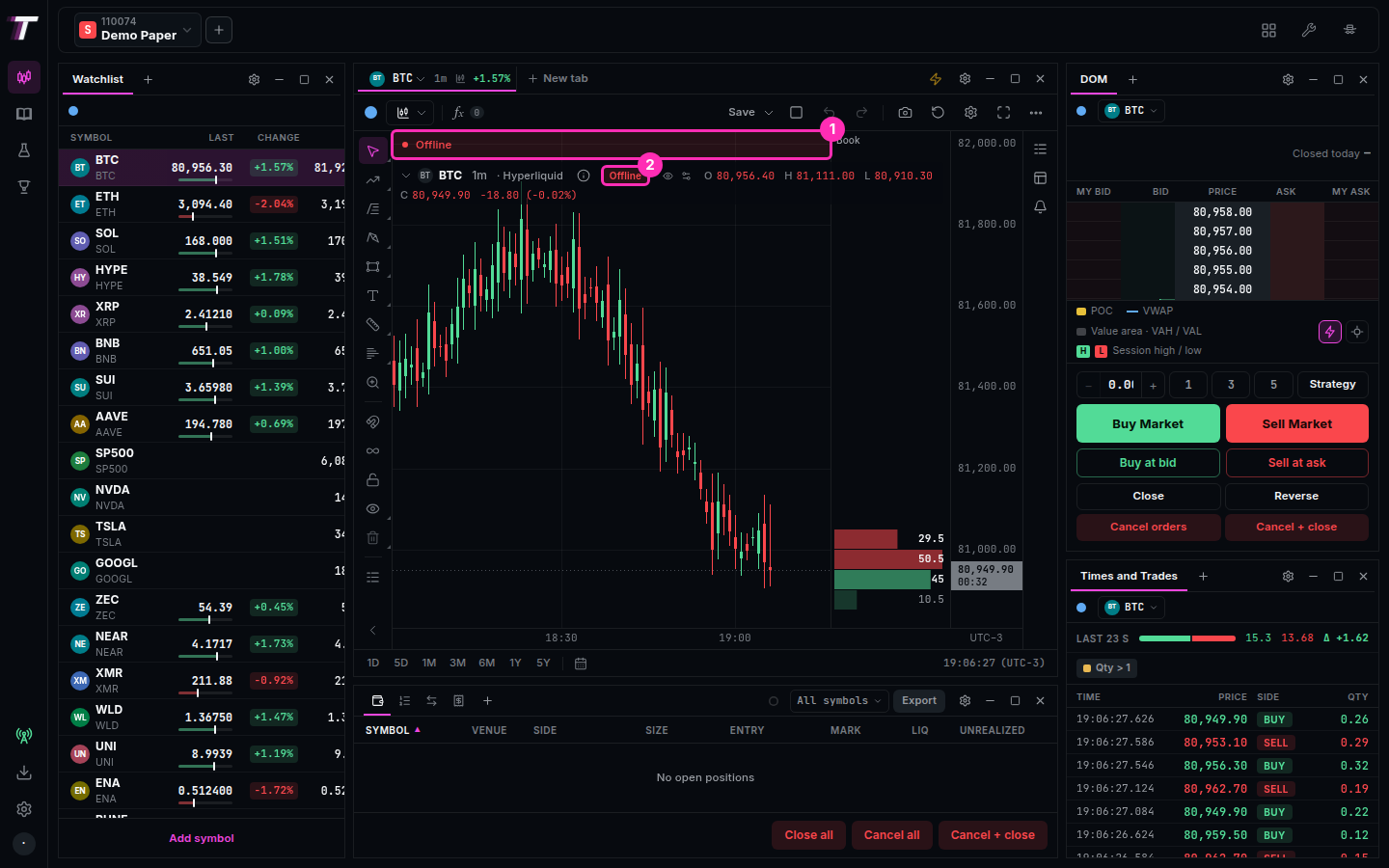
1 Offline notice over the chart · 2 Offline status next to the symbol
Likely causes
- Feed delayed by design — the Delayed ~N min badge means data delayed by about N minutes, not real-time.
- Connection reconnecting — the app reconnects on its own when the WebSocket drops; meanwhile prices may be stale.
- No internet or unstable connection — the app shows You're offline; some data may be out of date until the connection returns.
- Symbol outside your account — This symbol is not available on this account, for example a symbol the account's group does not enable.
- Unsupported timeframe — This timeframe is not available for this symbol.
- Market closed or no recent trading — there may be no new bars (No new data).
What to do
-
Wait a few seconds: under Connecting or Recovering, the app is restoring the feed.
-
Check your internet. If you are offline, the app returns to normal when the connection returns.
-
If the feed status is delayed or disconnected, click the feed indicator (the antenna icon near the bottom of the left sidebar) to retry. Its tooltip reads … feed — click to retry.
-
Switch to another symbol or timeframe the account supports and then switch back.
-
Reload the page. If the New version available notice is on screen, reload the page. See The app is not updating.
Important: prices from a disconnected or delayed feed are not suitable for deciding an entry. Check the badge before trading.
When to contact support
- The disconnection notice persists after reloading and with a stable internet connection.
- A symbol you always used shows Symbol unavailable on your account.
- The delay appears on a feed that should be real-time, according to the operator.
Gather the symbol, the time and a screenshot, as in Contacting support.