I cannot log in
You sign in to Tron Charts with a wallet or with a one-time code sent to your email. This article covers the most common problems on those two paths.
Symptom
- The email code does not arrive or is refused.
- The wallet connects, but the app goes back to the login screen or asks for a signature again.
- The app says the wallet is not linked to your account, or that the email already belongs to another sign-in.
- You switch accounts and still see data from the previous session.
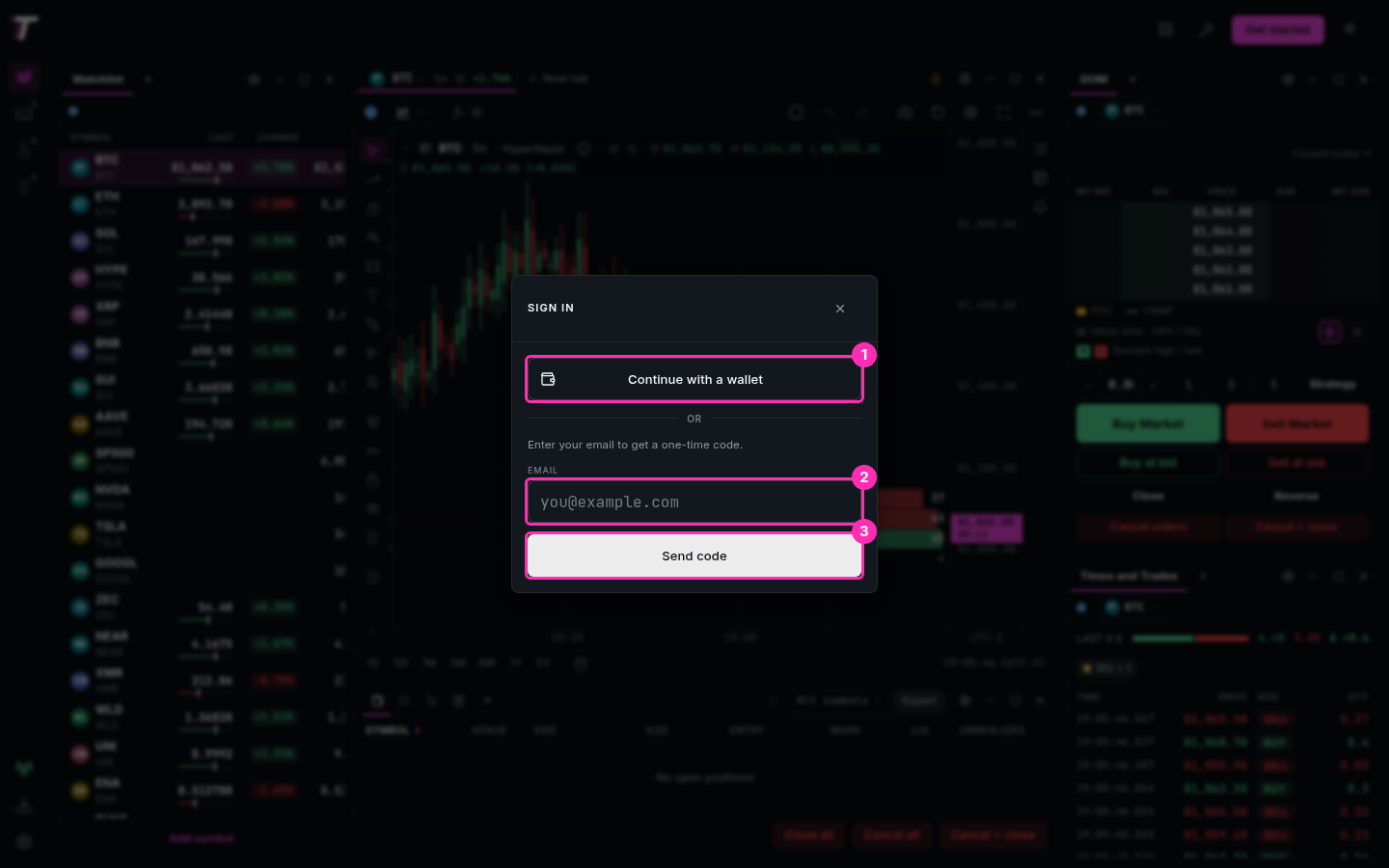
1 Continue with a wallet · 2 Email field · 3 Send code
Likely causes
- Wrong email or expired code — the 6-digit code has a short validity.
- Message in spam — the code email landed in spam or was blocked.
- Expired signature request — the wallet opens a verification signature (SIWE) valid for a few minutes. If you take too long to sign, it expires.
- Wallet from another identity — the chosen wallet is not linked to the current account, or already belongs to another sign-in with the same operator.
- Email in use — the app warns This email already belongs to another sign-in. Contact support to recover your account.
- Leftover browser session — the app could not end the previous session (Could not sign out the previous session on this browser. Reload the page and sign in again.).
Important: the app does not offer social login (Google, Apple and similar). Only wallet and email code.
What to do
- For email login, check the address, look in spam and use Resend code to get a new code. Always type the latest one.
- For wallet login, choose Continue with a wallet, approve in the wallet app and sign the verification message right away.
- If the wallet is not linked, go back to the linked wallet or see Link and unlink wallets.
- If the session message appears, reload the page and sign in again.
- Try another browser or a private window to rule out extensions and old site data.
When to contact support
- The email says it already belongs to another sign-in and you need to recover the account.
- The wallet is already tied to another identity and the app indicates the case needs support (identity merge).
- The code never arrives even after checking spam and resending.
See what to gather in Contacting support.