Create your account and sign in
Tron Charts has no separate sign-up: the first time you sign in, your account is created. You can sign in with a crypto wallet or with a code sent to your email.
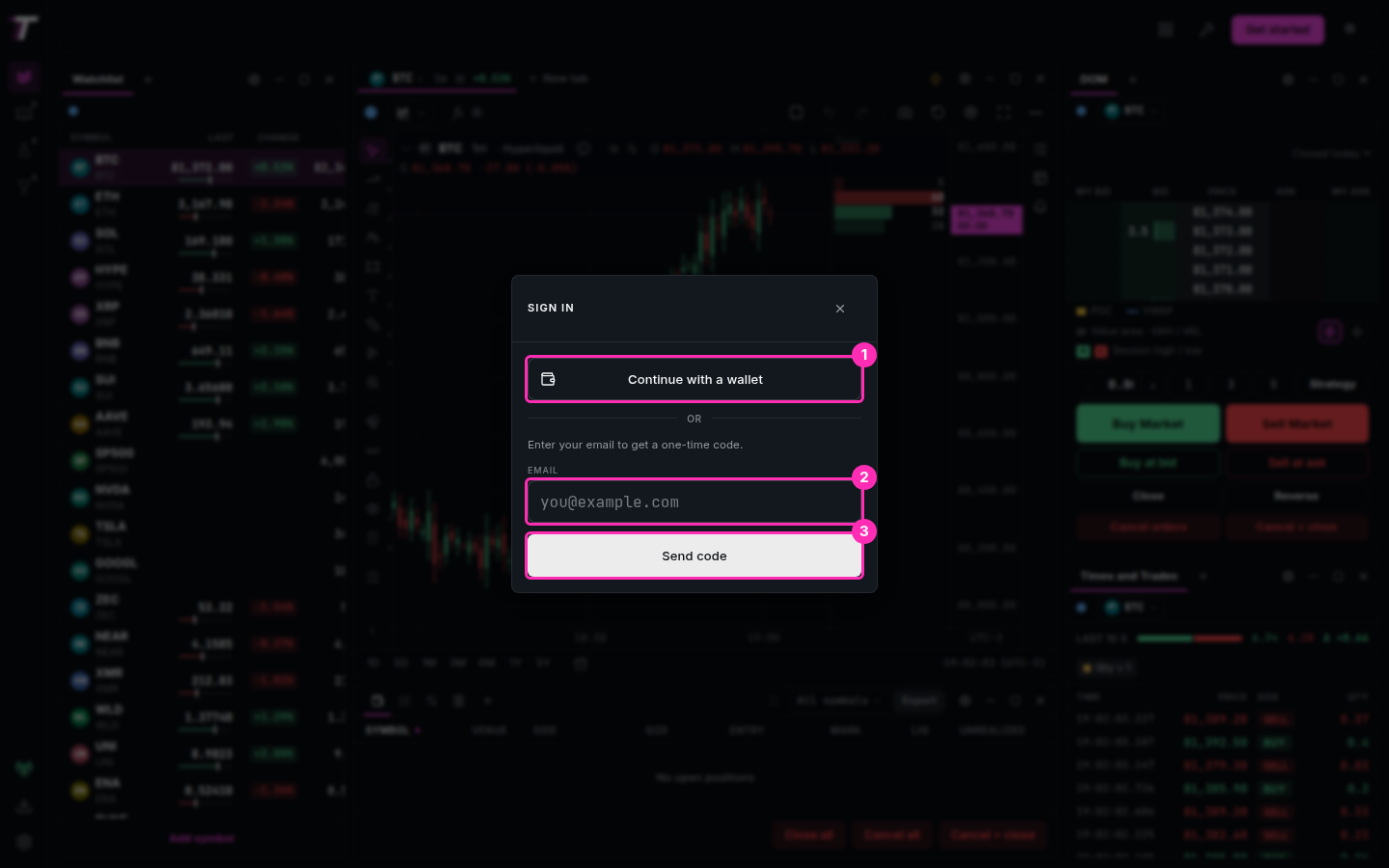
1 Continue with a wallet · 2 Email field · 3 Send code
Where to find it
When signed out, click Get started in the header. The Sign In window also opens from any sidebar item marked "Sign in required", such as Journal.
Sign in with a wallet
- Click Continue with a wallet.
- Pick your wallet (MetaMask, Rabby, Coinbase Wallet, or a mobile wallet through WalletConnect).
- Approve the connection in the wallet app and sign the verification message.
The signature only proves the wallet is yours. It is not a transaction and charges no network fee (gas).
Sign in with email
- Enter your Email and click Send code.
- Enter the 6-digit code that arrived in your inbox.
- Click Verify. If the code does not arrive, use Resend code.
If you have no wallet, the platform may create an embedded wallet for you, secured by passkey with no extension. Each user can have at most one. See Wallets: link and unlink.
After you sign in
- Paper account — your account starts with a paper account called "Paper — Main", with a simulated balance. See First steps with a paper account.
- Session — stays active for up to 30 days in this browser. To end it, use Sign out in the profile menu.
- Guided tour — opens by itself the first time. See Guided tour and home screen.
- Complete profile — a notice may ask for First name, Last name and Phone to unlock rewards and payout flows. You can dismiss it for 24 hours.
Important: signing in asks for no password and no two-factor code. 2FA is an optional account security layer; see Two-factor authentication.
Frequently asked questions
Do I need a wallet? No. Email with a code is enough to start.
Can I sign in with Google, Apple or another social network? No. Today there are only wallet and email.
I signed in with email and now want to use my wallet. Can I? Yes, by linking the wallet to your account; see the wallets article.