Guided tour and home screen
The guided tour is an interactive walkthrough that highlights the areas of the platform the first time you sign in. On mobile, the Home screen gathers a summary of your accounts and the market.
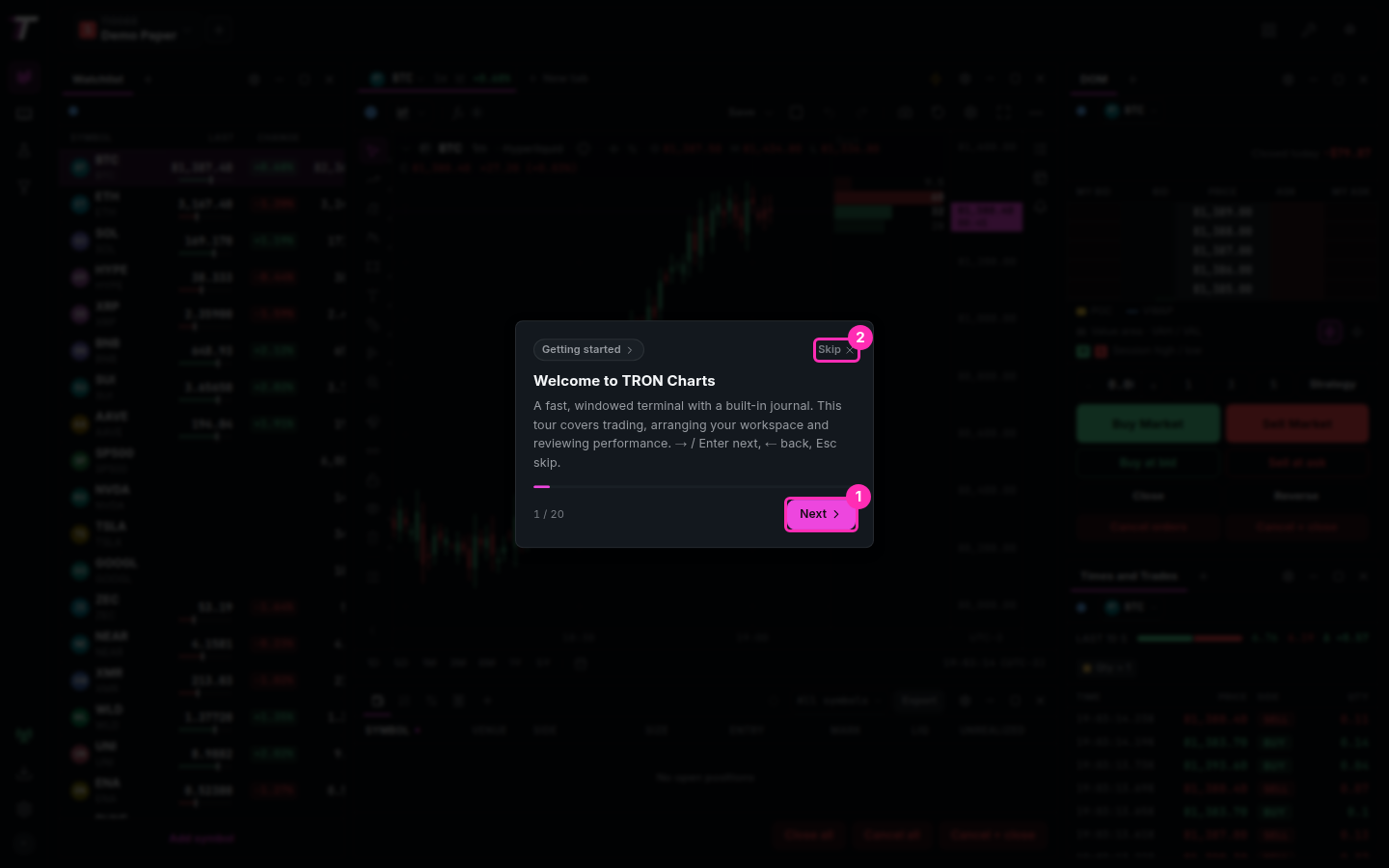
1 Next step · 2 Skip the tour
Where to find it
- Tour — opens by itself on your first sign-in. To replay it, click your avatar and choose Retake the tour (Take a tour until you have finished it once).
- Home — on mobile, it is the first tab in the bottom bar. On desktop there is no separate screen: the landing page is the workspace itself on Trade.
How the tour works
- The first step is Welcome to TRON Charts, with a counter of the steps (for example,
1 / 20). - Move through the steps with Next, go back with Back, or leave with Skip. On the keyboard,
→orEnteradvance,←goes back andEscskips. - At the end, click Finish. The tour does not reopen by itself once finished or skipped.
The tour has five chapters:
| Chapter | What it shows |
|---|---|
| Getting started | Welcome and your paper account |
| Workspace | Windows, tabs, the + tools button, the watchlist and workspace controls |
| Charts & orders | Chart, DOM and order ticket, live positions and orders |
| Journal | Your journal workspaces, Workspaces and filters, Add a tool and Journal tools |
| Wrap up | Summary and usage tips |
Home screen on mobile
The Home screen shows:
- My accounts — a summary of your accounts with Day, Week, Month and Year filters.
- Market map — a quick view of a set of assets.
- Calendar and news — the economic calendar and headlines.
- Campaign banners — shortcuts such as Learn to trade, Get funded and Earn rewards.
Important: today the headlines block shows sample content and says real data is coming soon.
Availability: the Get funded banner leads to funded accounts, which depend on the operator having the module turned on.
Frequently asked questions
The tour did not open. How do I start it? Use Take a tour (or Retake the tour) in the avatar menu.
Can I skip the tour? Yes, any time, with Skip or Esc.