Chart types
The chart type sets how price is drawn: candles, bars, lines, areas and variations. This article covers the types of the TradingView chart: 13 in the top toolbar menu, plus 2 more in the symbol strip menu; Super Charts has its own list, in Super Charts chart types.
Where to find it
In the TradingView Charts tool, open the chart type menu in the chart's top toolbar (or Chart type on the symbol strip). The type you pick applies to the current tab and is saved with the layout.
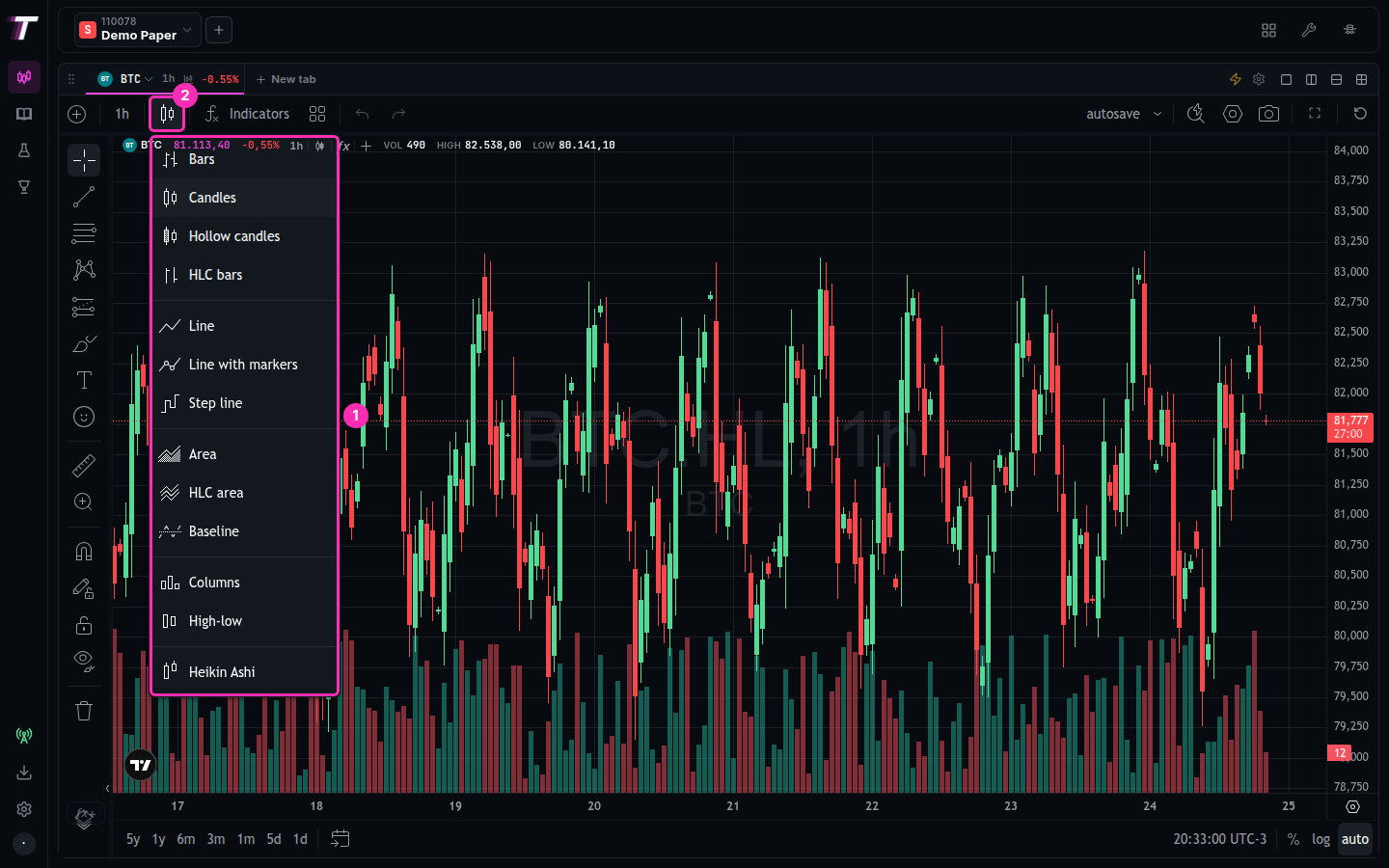
1 Chart type list · 2 Chart type button
Available types
| Type | How price appears |
|---|---|
| Candles | Body between open and close, with wicks for high and low. |
| Hollow candles | Like candles, but the body is hollow when price closes above the open. |
| Heikin Ashi | Candles built from averages, which smooth noise and highlight the trend. |
| Bars | Vertical bar with ticks for open and close. |
| Line | Connects the closing prices. |
| Area | Closing line with the region below filled. |
| Baseline | Line that changes color above and below a reference level. |
| Step line | Line that only moves in steps, holding the price until the next close. |
| High-low | Range between the high and the low of each bar. |
| Columns | Columns drawn from the close. |
| Line Break | Lines that only change when price breaks the extreme of the previous ones. Symbol strip menu only. |
| Volume candles | Candles whose width follows the traded volume. Symbol strip menu only. |
| HLC bars | Bars without an open tick (high, low and close). |
| HLC area | Area drawn from high, low and close. |
| Line with markers | Closing line with a dot on every bar. |
Frequently asked questions
Does Heikin Ashi show the real price? No. Each candle is computed from averages, so the open and close shown are not traded prices. Use regular candles to see actual execution.
Are there Renko, Kagi or Point & figure? Not in the Tron TradingView chart list. Super Charts has Renko, Kagi, Point & figure and Line break.
What about mobile? TradingView's native header is turned off there, so the symbol strip has its own Interval and Chart type menus; its type list also has Line Break and Volume candles.