Price Ladder and Order Book
These are two tools for reading the order book. The Price Ladder shows depth aggregated by price level. The Order Book shows every individual order in the book, one per row.
Where to find it
Add them from the tool picker (Add tool > Price Ladder or Order Book). Each one has its own settings gear. See the Tools catalog.
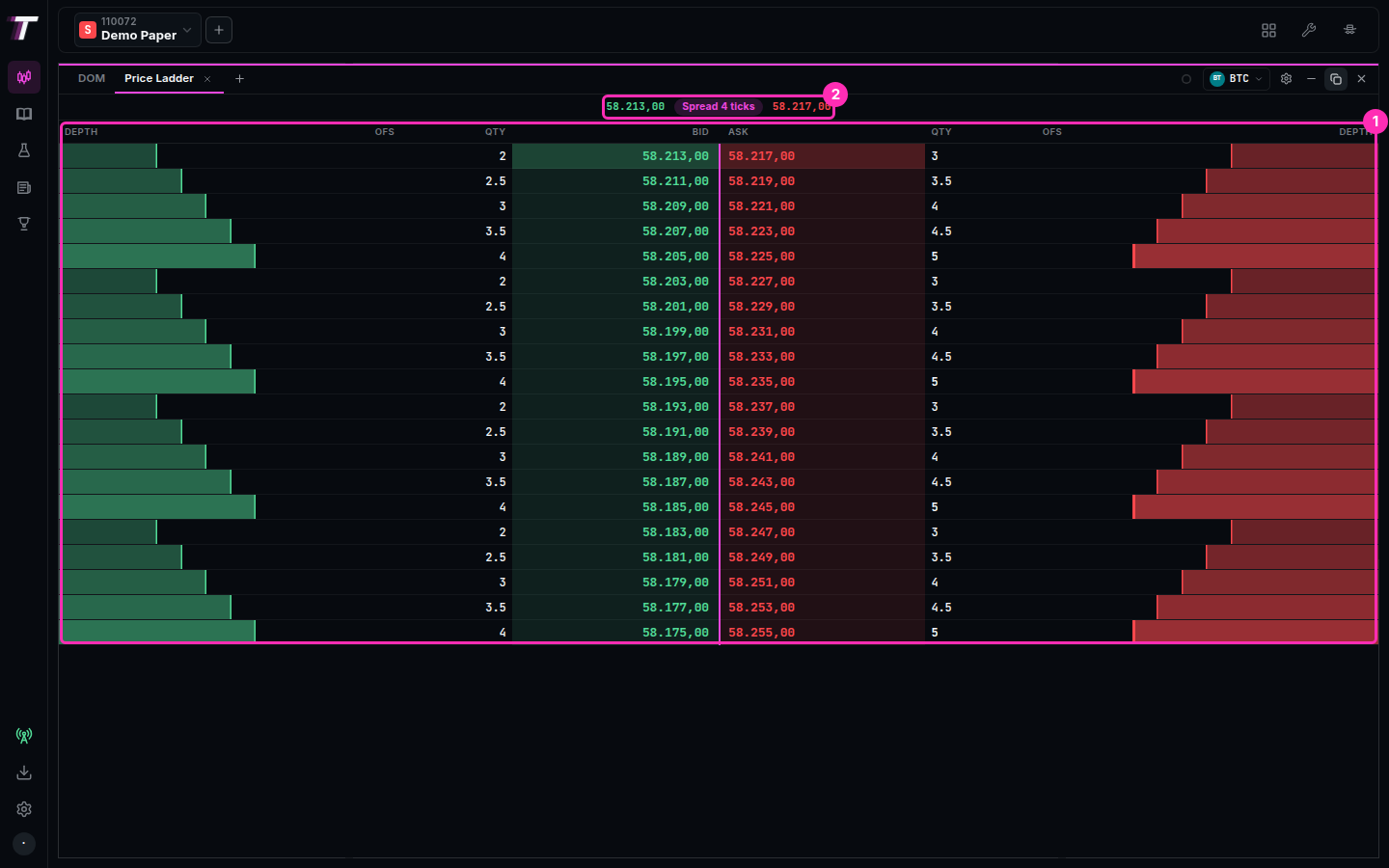
1 Price book with bids and asks · 2 Best offer
Price Ladder (level 2)
Each row is a price level with the sum of all lots at that level. Above the book, a strip shows the best bid, the spread in ticks and the best ask. While depth has not arrived, the tool shows Awaiting depth….
In Price Ladder settings:
- Visible depth — how many levels per side appear (or All).
- Show offer count — adds the Ofs column (how many orders make up the level), when the venue reports it.
- Emphasize best bid/ask and Highlight large lots, with Highlight percentile to define what counts as large.
- Color bars — draws the depth bars (off = no depth bars).
- Color prices with orders — marks the levels where you have orders.
- Depth display (Bars, Heatmap or Cumulative), Layout (Side by side or Stacked) and Depth column on outer edge (off = next to the prices).
- Colors tab: buy, sell and orders. Quantity tab: coloring rules by quantity.
Order Book (level 3)
The Order Book lists every open order, in the order it sits in the queue. It has two modes: By price (groups the orders of the level) and Order by order (each offer on its own row). Before data arrives, it shows Awaiting offers….
In Order Book settings you adjust the Visible depth (orders per side), the Cyclic shading (restarts every N offers, under Reset every), Color prices with orders, Depth display, Layout and Depth column on outer edge; the Colors tab has the buy, sell and order colors, and the Offers tab the rules per offer size. On Lighter, Show order owners (Lighter) adds the Owner and Age columns; if the feed has no account ids, the setting says The book feed carries no account ids. On other venues the toggle is Buyer and Seller columns. Column widths and order are adjusted by dragging the headers and apply to every order-book pane.
Important: the Order by order mode only exists on venues that publish the book order by order. Today that means Lighter, and B3 when the operator turns on its market data; on the other venues the Order Book shows the book grouped by price, without the By price / Order by order switch. Data is never simulated.
Frequently asked questions
What is the difference between the two books? The Price Ladder sums by price; the Order Book shows each order. To read a level's queue, use the Order Book.
What about the DOM? The DOM shows depth and also sends and moves orders.