Daily loss limit
The daily loss limit defines how much you can lose in a single trading day within a challenge. Going over the limit breaches the rule.
Availability: Funded depends on your platform and operator.
Where to find it
On the Funded account dashboard, the Daily loss meter shows the amount lost today and the limit of the challenge. The rule appears in the Evaluation rules list as Daily loss cap.
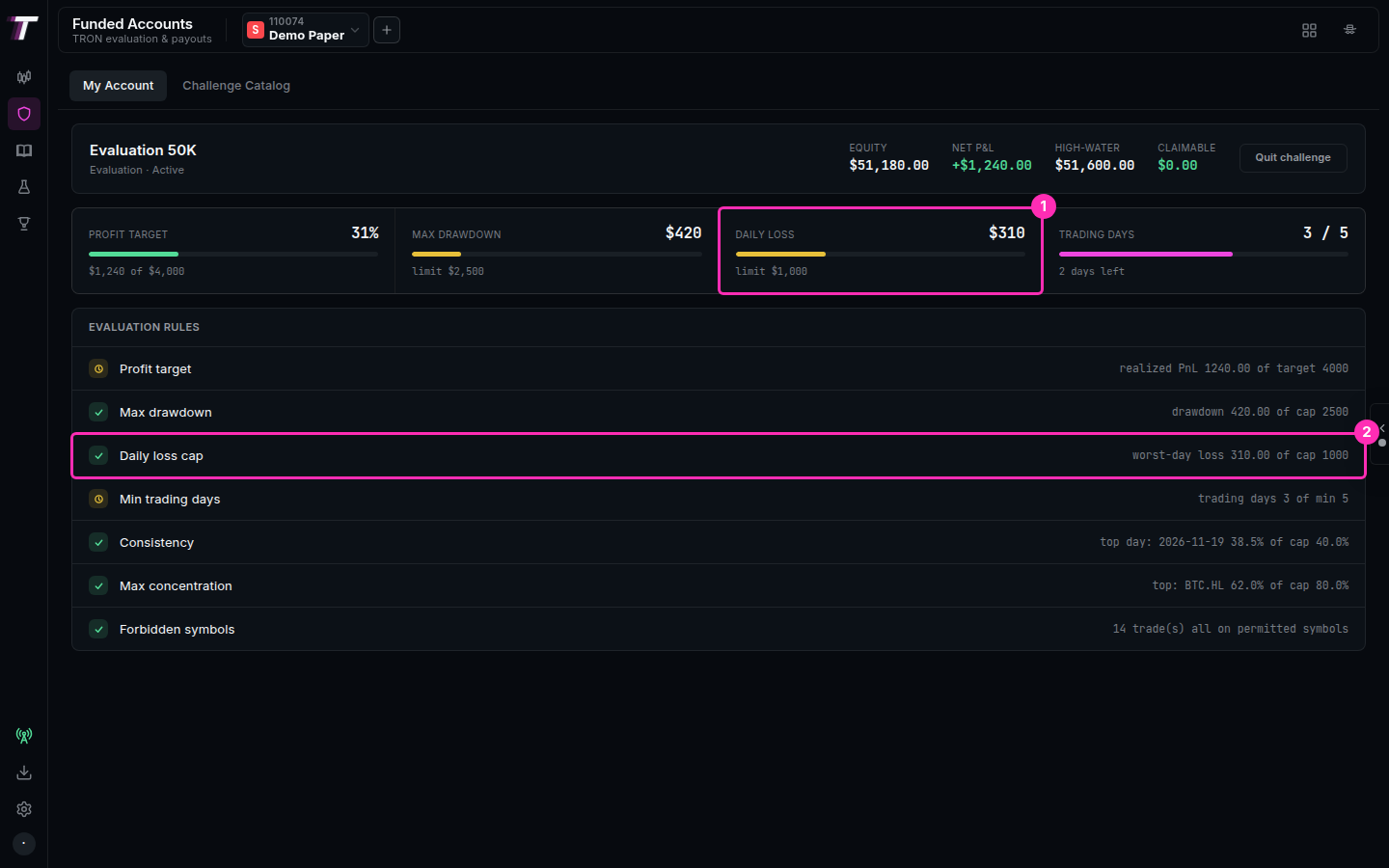
1 Daily loss meter · 2 Daily loss rule
How the rule works
- The limit value is set by the firm on each challenge; see the challenge card in the catalog.
- The rule looks at the realized result of each day. The loss of the worst day is compared with the limit, and the rule is breached if the loss goes beyond it.
- Unrealized losses are part of equity and therefore of max drawdown.
When the day rolls over
The meter returns to zero when the trading day rolls over. The cut-off time is set by the challenge, so check it on the challenge card. If the app's day and your trading day do not match, check the cut-off time before trading close to it.
How the rule is enforced
Depending on the rule and the operator, enforcement can be graduated: a warning, reduce-only, stop for the day, lock the cycle or close the account. On a breach, orders are cancelled and positions are closed. See Breach, quit and expiry.
Challenge limit vs your personal limits
They are different things:
- Challenge limit — imposed by the firm's template; you cannot change it.
- Personal limits — you set them in Settings > Trading > Risk limits (for example, Max daily loss) and choose what happens when the limit is reached. They protect you, including on accounts outside Funded.
Your personal limits can be stricter than the challenge's. See Risk overview.
Frequently asked questions
Is the limit the same on every challenge? No. Each template defines its own.
My account was locked by daily loss. What now? See Account locked and suspension.