Challenge catalog and how to start
The catalog lists the programs the firm has published. Each card shows the challenge terms and leads to a paper (simulated) start or a live stake.
Availability: Funded depends on your platform and operator.
Where to find it
Funded menu > Challenge Catalog tab. There is also the Funded challenges view, with its own filters and sorting. You must be logged in.
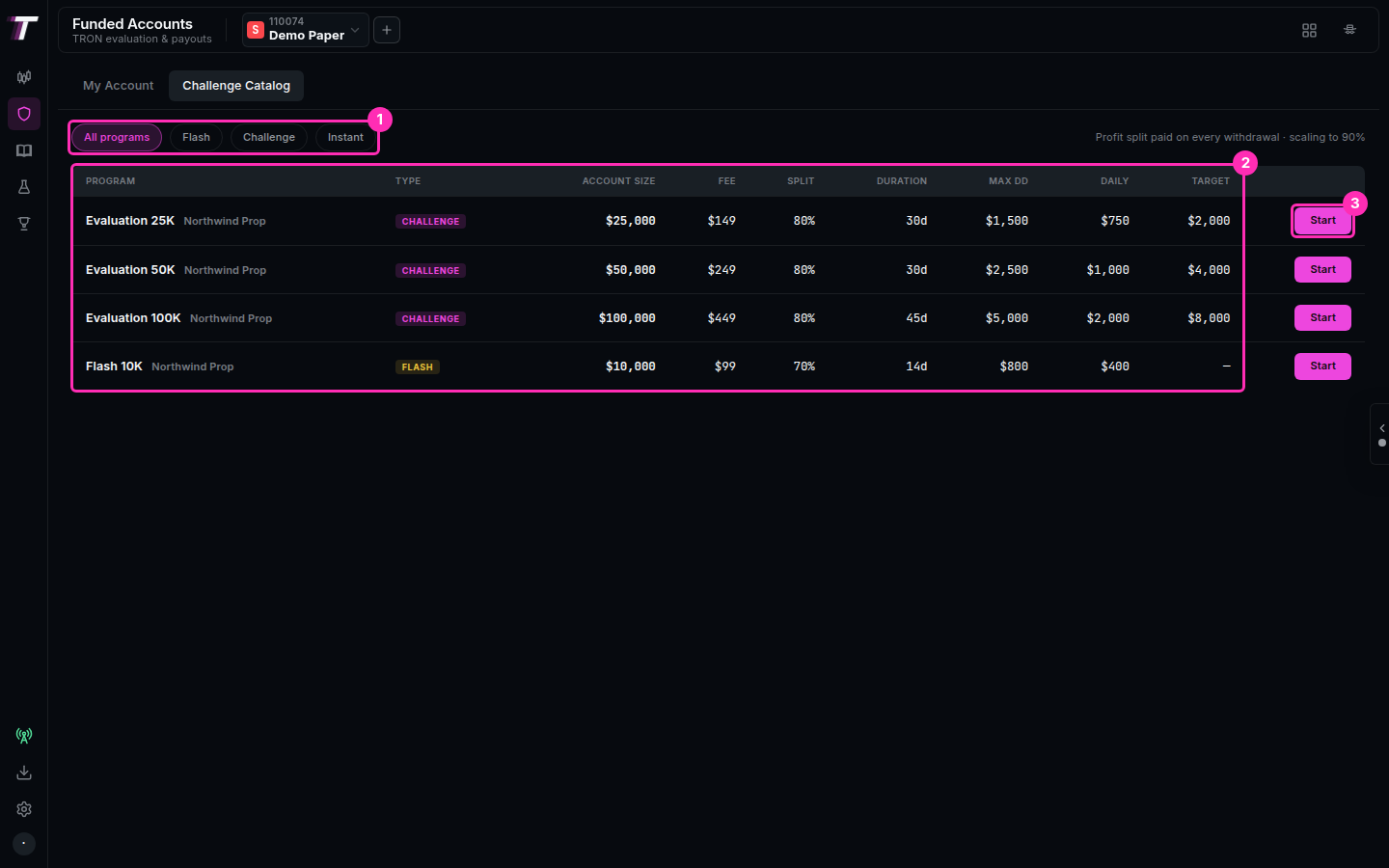
1 Program filter · 2 Challenge table (sample data) · 3 Start
Filters and sorting
| Item | Options |
|---|---|
| Program | All programs, Flash, Challenge, Instant (in Funded challenges: All and Challenge) |
| Size | Any size, ≤ 25k, 25–100k, 100k+ |
| Search | Search programs |
| Sort by | Name, Kind, Size, Fee, Split, Duration (ascending or descending) |
Each program shows Account size, Fee, Split, Duration, Max DD, Daily and Target. The values come from the operator: read the card, not third-party estimates. The Details button opens the Template detail with Rules and Tier ladder.
Catalog actions
- Start — creates the challenge.
- Activate — completes a challenge that was left pending.
- Resume — goes back to a challenge you already started.
- Locked — the program is not available to you right now.
Starting on paper
- Choose Practice, free (Start with sim). Same rules, no real stake.
- On your first paper challenge, the platform may ask for a card on file (Add a card, secure checkout). The screen says paper-prop accounts are billed monthly to the firm.
- Confirm with Start paper challenge. A new paper-prop account is created; your existing accounts are not affected.
Starting with a live stake
Important: live accounts are coming soon on the platform. The Real stake option may show as Coming soon.
When available, the flow has four steps: Review, Confirm, Sign and Provision. At the confirm step you must acknowledge the conditions:
- Breach — your stake is forfeited to the firm's treasury, with no refund.
- Voluntary quit — part of the collateral may be forfeited, or it may be refunded in full, depending on the challenge.
- Expiry — part of the collateral may be forfeited at time-out.
- Pass — the stake stays as continuing capital; payouts are capped at your own profit and settled via multisig.
The first time you must approve USDC for the contract; later deposits skip that step. The screen estimates about 30 seconds after the transaction for the account to become active.
Frequently asked questions
Can I convert a paper challenge to live? The paper-mode screen says you can, if you pass.
Why does the button say "Locked"? Usually the program is not enabled for your profile or workspace. Contact the operator's support.