Payouts
A payout is the share of profit you receive on a passed funded account. It is calculated on realized profit, capped at your own profit, and settled in USDC to your wallet after the firm's multisig approves it.
Availability: Funded depends on your platform and operator.
Where to find it
On the account dashboard, the Claim payout button (or Claim {amount}). The flow opens the Request payout or Claim payout window. Under My Account, the Claimable column shows the available amount.
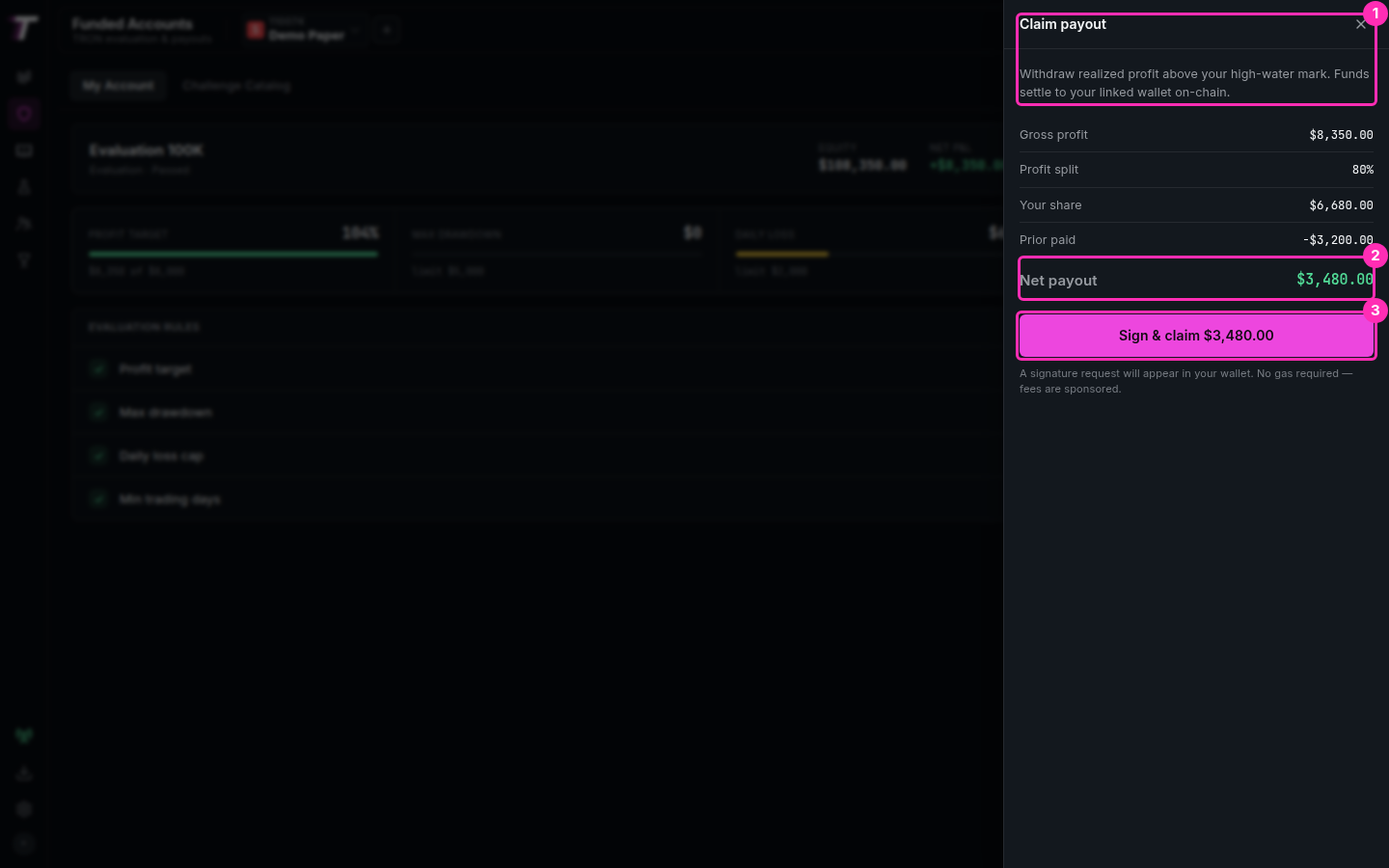
1 Payout window · 2 Net payout · 3 Sign and claim
How much you can withdraw
claimable = realized profit × template split − what has already been paid
The Payout split (Trader split) is set in the challenge template; see the card in the catalog. The breakdown shows:
- Gross profit / Realized profit, Profit split / Trader split, Your share, House share.
- Prior paid / Already paid out.
- Trading fees, Time penalty (FLASH), NFT boost, Collateral return. Fields with no value are hidden.
- Net payout / Net to wallet.
A payout can never exceed your profit. If you ask for more, a warning says it exceeds your available profit.
Conditions
- Only Passed accounts have a claimable amount.
- You must still respect every rule: the payout is blocked if any rule is breached or pending (for example, minimum trading days not yet completed).
- The template may set a minimum payout amount, a minimum number of days between payouts and a cumulative cap.
Requesting a payout
- Enter the Amount (USD) (up to the claimable maximum) and check Gross payout, TRON fee and You receive.
- Click Request & sign and sign in your wallet.
- The request stays Awaiting the Tenant multisig approval. USDC reaches your wallet after approval.
The funded account stays open: you can keep trading and request more payouts as you earn, always up to your profit.
Claiming a payout with a permit
In another flow, Claim payout, you sign a permit and use Sign & claim. No gas is required because fees are sponsored. If the automatic signing integration is not available, the screen offers Copy permit so you can submit the permit through a wallet tool.
Timing and queue
Timing depends on the firm, because the multisig approves each payout. The screen shows an estimate; it follows the firm's agreement.
If the firm's treasury is smaller than your request, the payout goes into a queue. Your profit entitlement does not change; you are notified when funds are available.
Frequently asked questions
Can I request more than one payout? Yes, as long as there is available profit and the template rules allow it.
Who approves it? The firm's multisig, not TRON.