On-chain transparency
On challenges with a live stake, the money and the decisions that move funds sit in contracts on Arbitrum, owned by the firm. You can check the contracts and the treasury on the block explorer.
Availability: Funded depends on your platform and operator.
Where to find it
- The Live contracts page (route
/prop/contracts), which is public: no login required. - In a challenge's Template detail, the On-chain trust section has the View on Arbiscan → link.
- The On-chain prop page (
/prop/how-it-works) summarizes the trust boundary.
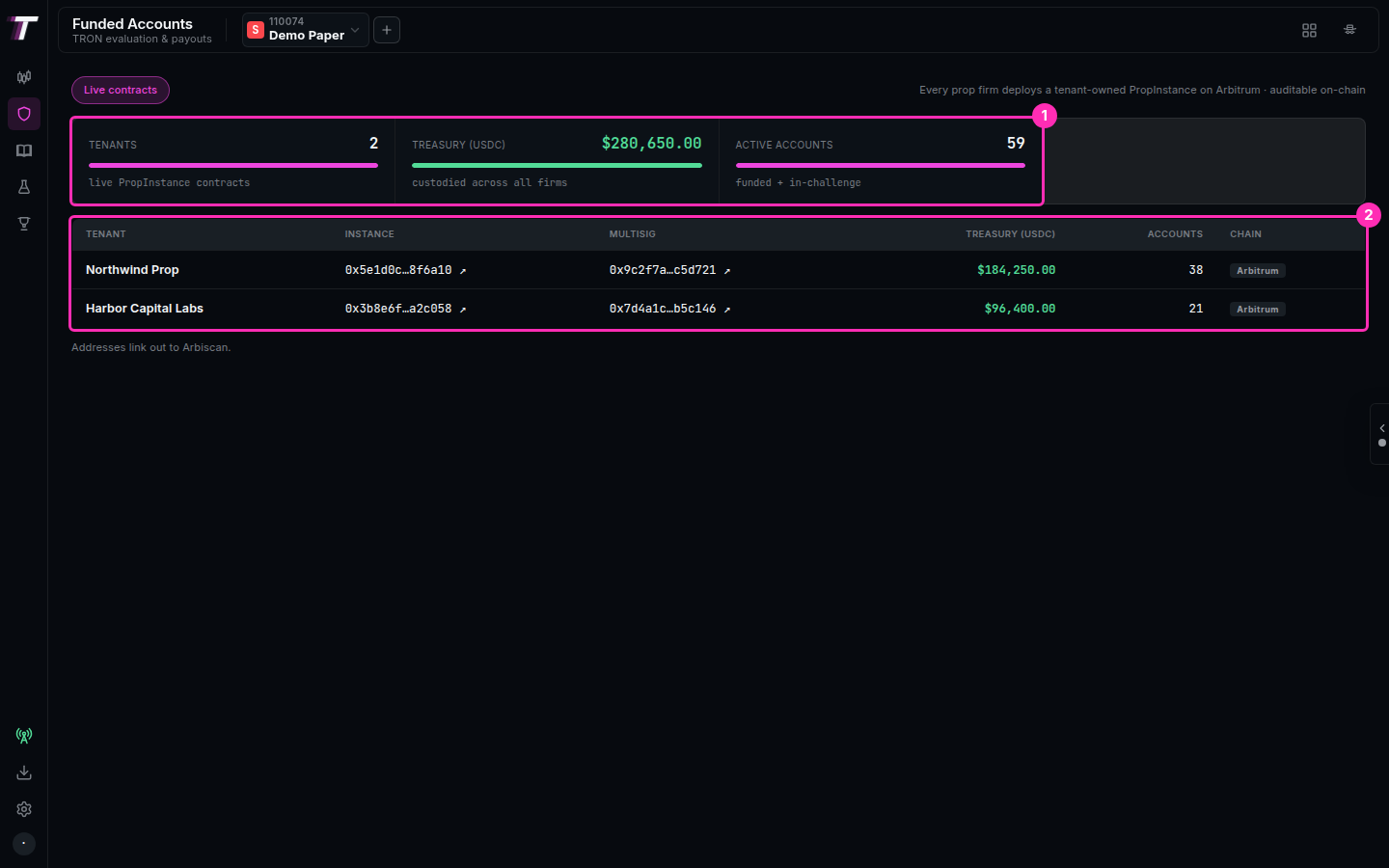
1 Contract indicators · 2 Contracts table (sample data)
What the page shows
Indicators at the top:
- Tenants — live PropInstance contracts.
- Treasury (USDC) — total custodied across all firms.
- Active accounts — funded and in-challenge accounts.
Table: Tenant, Instance, Multisig, Treasury (USDC), Accounts and Chain. Addresses link out to Arbiscan.
Trust boundary
- The firm owns the contract and the multisig. It custodies every trader's stake; TRON holds no keys.
- TRON observes and cannot move funds. TRON's engine records the state, but withdrawing the treasury or approving payouts requires the firm's multisig.
- Every state transition is on-chain. Deposits, breaches, passes, payouts and fees show up on Arbiscan; funds-moving actions are not kept only in a database.
The contracts are the PropFactory and, per firm, the PropInstance, both on Arbitrum.
Limits of what the page proves
The page publishes addresses and an on-chain snapshot. It is not a substitute for an audit: the full reconciliation between what the contract should hold and what it actually holds is not published yet.
Frequently asked questions
Do I need to log in to see the contracts? No.
Can I check that my stake is in the contract? Yes, through the Instance address on Arbiscan and the transaction hash shown during the deposit.