Enforced risk limits
Enforced limits are risk caps you set for yourself and the server applies to every order: if an order would breach the limit, it is rejected. Unlike personal limits, which drive alerts in this browser, these are stored on the server.
Availability: server-side enforcement is switched on by the platform or operator. Until it is on, your limits are saved but do not block orders, and the badge reads Saved — enforcement pending.
Where to find it
Settings > Trading > Risk limits, My enforced caps block (at the top of the screen). It edits the active account only, whose name appears in the intro text.
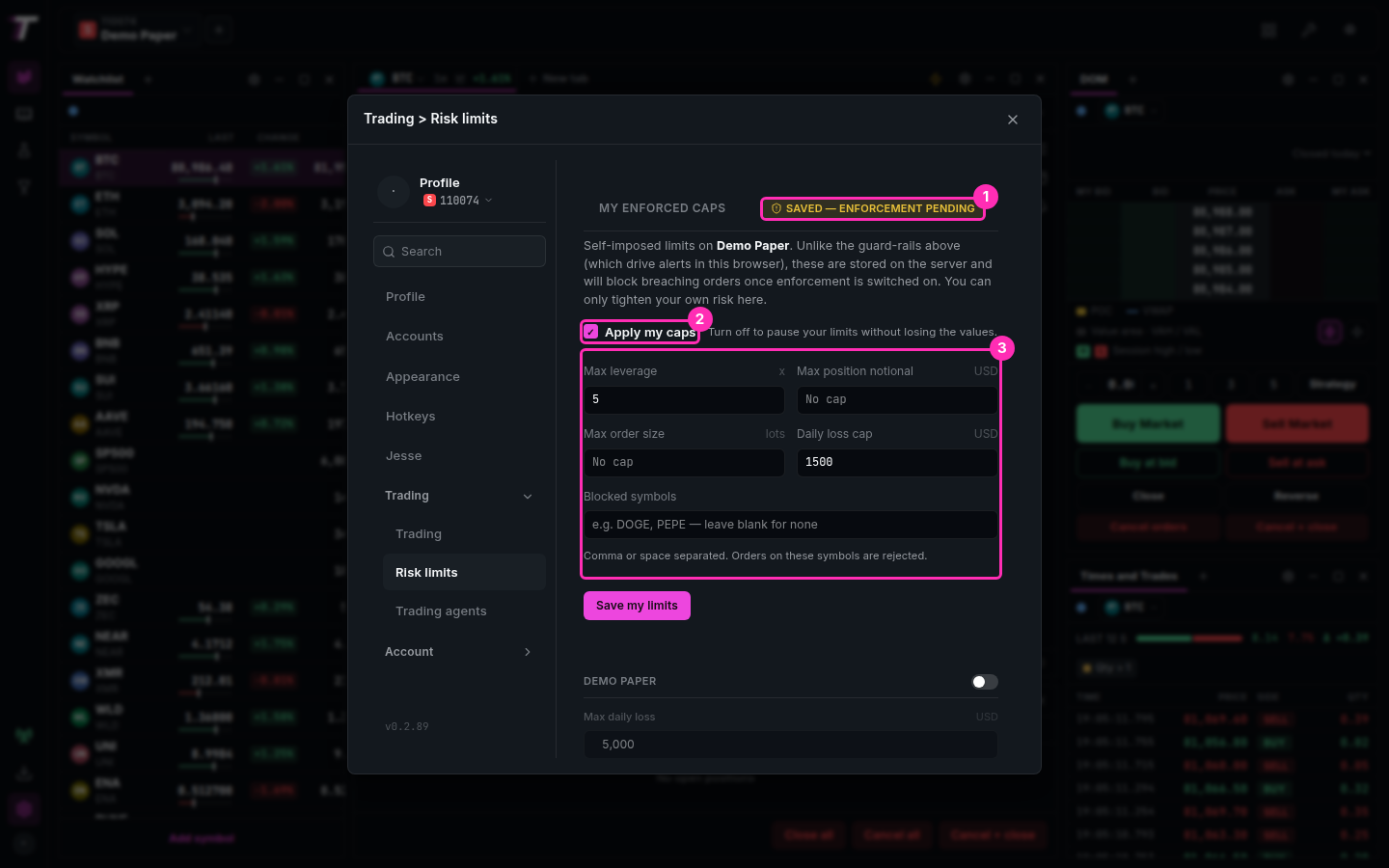
1 Server enforcement badge · 2 Apply my caps · 3 Limit fields
Fields
| Field | What it limits |
|---|---|
| Max leverage | Maximum leverage allowed on your orders. |
| Max position notional | Maximum notional value of a position. |
| Max order size | Maximum size of an order, in lots. |
| Daily loss cap | Maximum loss for the day, in USD. |
| Blocked symbols | Symbols you do not want to trade, separated by comma or space (for example, DOGE, PEPE). Orders on them are rejected. |
A blank numeric field means No cap on that dimension. To save, use Save my limits.
How it works
- Tighten only, never loosen — you can only add restriction. If an administrator-defined risk profile exists, it stays in force and your limits stack on top of it.
- Apply my caps — turn the switch off to pause your limits without losing the values.
- Badges — Enforced server-side means every order goes through the limit; Saved — enforcement pending means it is saved but does not block yet.
- Per account — limits apply to the active account. For another account, switch the active account and repeat.
Tip: use enforced limits for what you never want to do on a bad day, such as high leverage or a symbol that tends to pull you off plan.
Frequently asked questions
How is this different from personal limits? Personal limits run in the browser and alert or flatten. Enforced limits run on the server and reject the order before it reaches the venue.
An order was rejected because of them. How do I confirm? The order appears as Order rejected. Compare its size, leverage and symbol with your limits and see Order rejected.