Trade cards and sharing
The Journal's Share button opens a card dialog that turns your results into an image you can save or post outside Tron Charts. Export CSV exports the trades of the period.
Where to find it
On the Journal strip, Export CSV and Share act on the period (both are disabled when the period has no trades). Tools also carry their own Share button in the footer when they have something to share: Trade review (the trade), Day summary (the day), Month calendar (the month), Equity (the equity curve), Rules (the rule streak) and Goals. In Trade log, each row has a share icon for that trade.
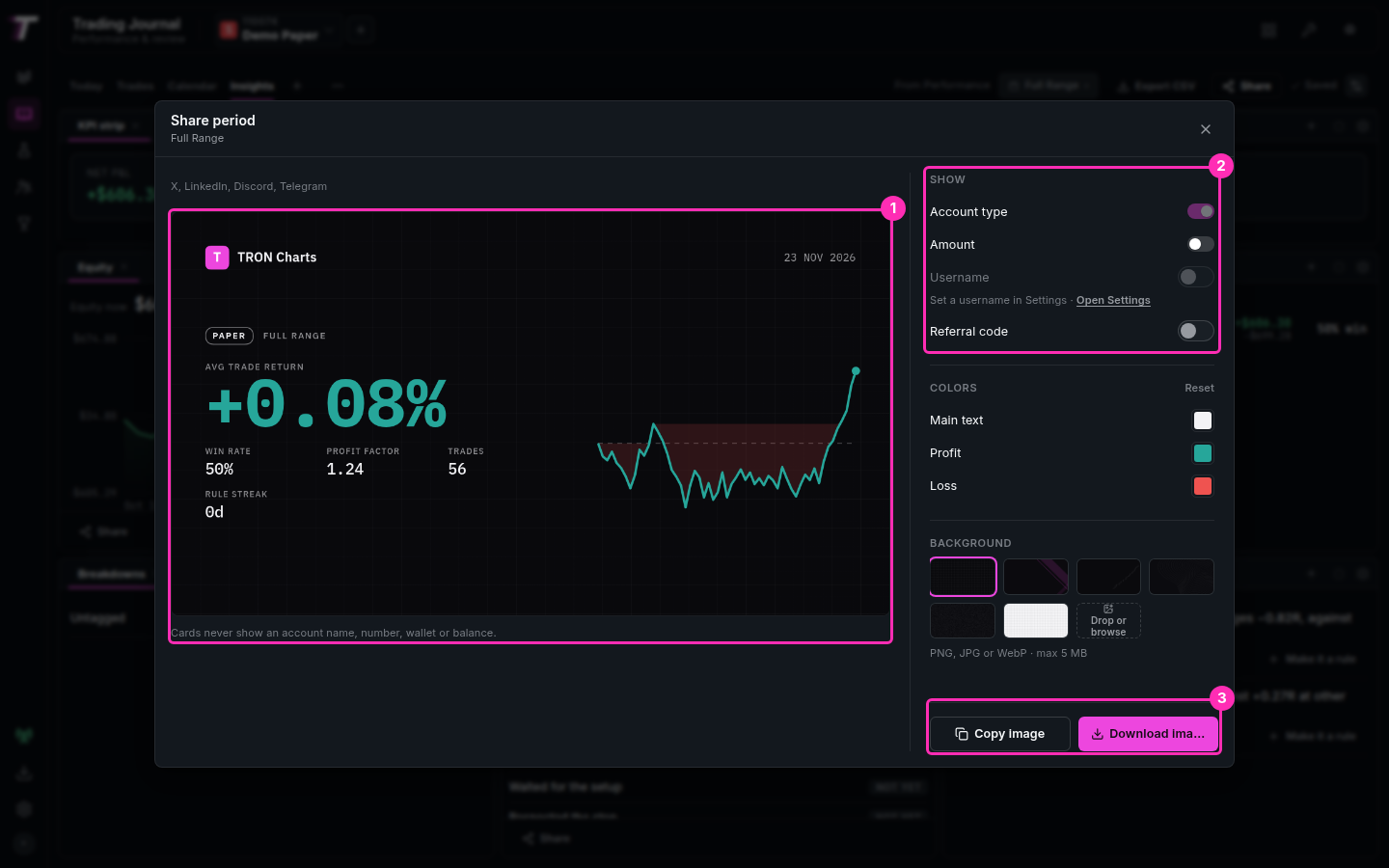
1 Card · 2 Show options · 3 Copy image and Download image
What the dialog offers
The title says the card: Share trade, Share day, Share period, Share month, Share equity curve, Share rule streak or Share goals. Trade, period and equity cards are 16:9, day, rule streak and goals cards are 1:1, and the month card is 9:16.
- Show — Account type (always on the card), Amount (off until you turn it on) and, when there is one, Lesson of the trade or Mood of the day. Further controls set Username, Referral code, Colors and Background.
- Copy image — copies the card to the clipboard, in browsers that support it.
- Share — opens the system share sheet, where the device offers it.
- Download image — saves the card as a file.
What the card shows
Each card has a title such as Trade review, Day recap or Rules, the main result (for example R multiple, Return, Day R or Goals met) and a few indicators, such as Win rate, Profit factor, Trades, Held, Entry, Exit and Max drawdown, depending on the card. A badge shows whether the account is Paper, Funded or Live. When fees were not reported, the result is labeled gross (for example Gross return).
Important: the card shows your results. Check the numbers and the account before posting.
Privacy
Cards never show an account name, number, wallet or balance. The card is drawn in your browser from the data you are looking at; the platform does not store any image.
Frequently asked questions
Why is "Copy image" greyed out? Not every browser lets you copy images to the clipboard. Use Download image.
Does the card show my balance? No. Amounts are off by default, and a card never shows a balance.