Companion Jesse
Jesse is Tron Charts' AI assistant, a persona inspired by Jesse Livermore. It chats with you, reads your positions, account state and prop status, and can run actions when you allow it. The Companion is an AI chat — it is not a separate app and it does not sync settings across devices.
Where to find it
- The Jesse — AI assistant icon (AI chip) in the platform bar, which opens the Companion.
- Settings > Jesse > Placement: choose Left, Right, Chip or Inline. There is also a Full screen mode.
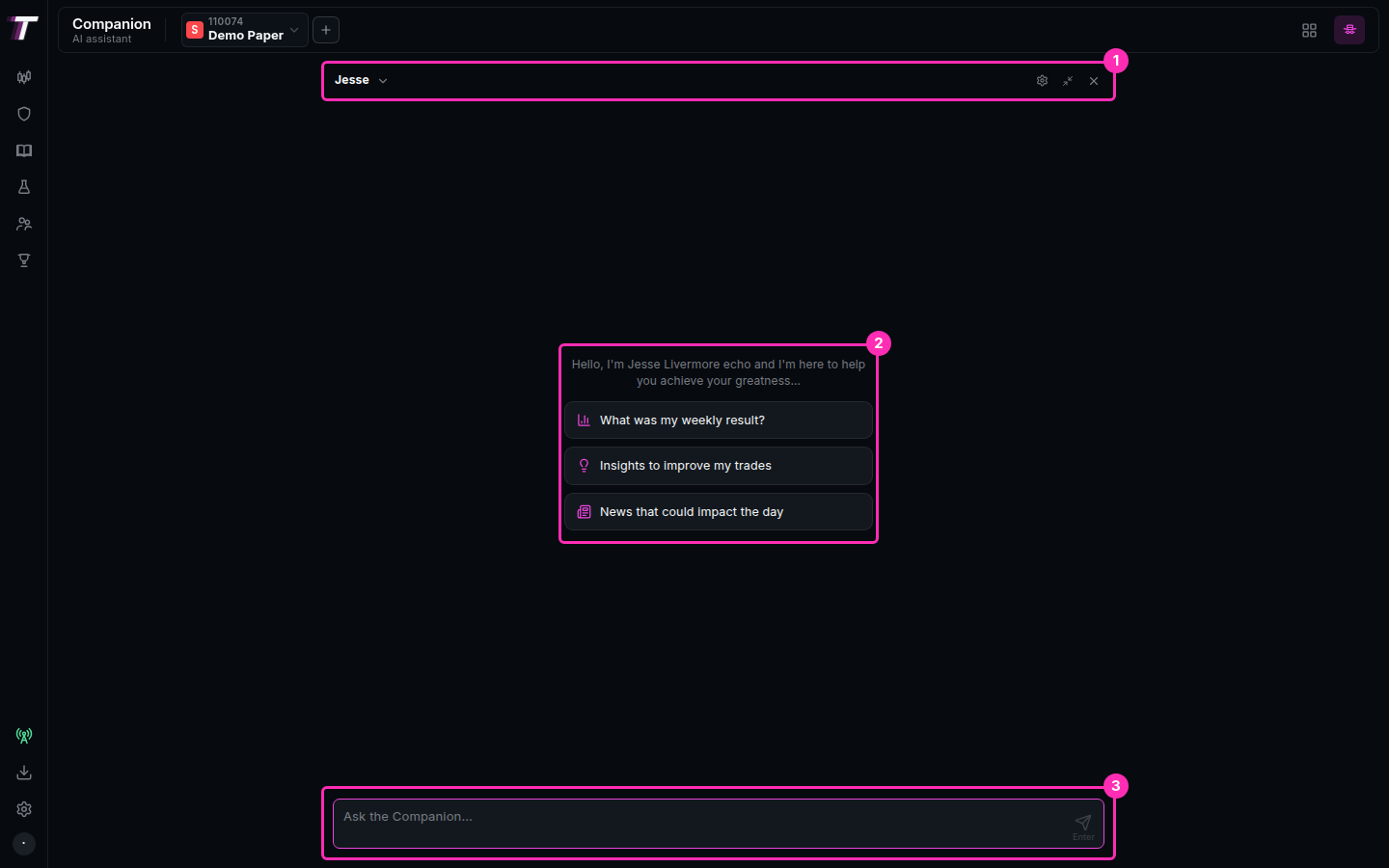
1 Conversations and settings · 2 Starter suggestions · 3 Message field
What it does
Ask in plain language. The starter prompts help you begin:
- What was my weekly result?
- Insights to improve my trades, based on your recent history.
- News that could impact the day, including economic calendar events.
When it uses tools (reading positions, account, prop status), progress chips show the calls.
Actions that move orders
Write actions — placing, cancelling, flattening or modifying orders — require confirmation. The Companion shows a Confirm order card (Buy/Sell, Quantity, price or market), or Confirm action, and only goes ahead if you click Confirm / Approve. You can Cancel or Reject.
Important: the auto button turns on automatic mode, where actions run without asking. Keep it off unless you really want that behavior. A misread instruction, with automatic mode on, can open or close positions.
Orders follow the account's rules: risk limits, allowed venues and whether the account is paper or live. Today only paper accounts trade; live accounts are coming soon.
Conversations
Use Conversations / Recent conversations to return to a conversation, New conversation to start another and Rename to organize. The history is tied to your account.
In the panel, the Activity tab gathers notes the Companion surfaces when something matters; mark all seen clears the list.
Limits
- The Companion can be wrong. Check numbers and orders before you confirm.
- What it says is not investment advice.
- The AI does not trade without your confirmation, unless you turn on automatic mode.
Frequently asked questions
Do I need to be logged in? Yes, for it to read your account.
Does it work on a phone? The Companion opens inside the platform, in the browser, including on a phone.